June 28, 2026
Add people to your Blacklist by typing them in
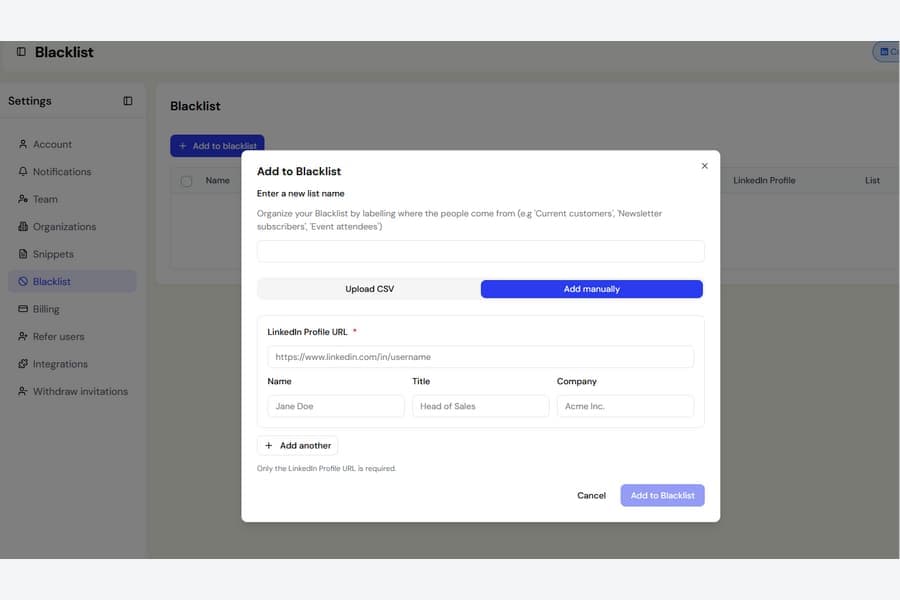
Adding one or two people to your Blacklist is now much easier.
Previously, the only way to add people was by uploading a CSV or Excel file. This meant creating a spreadsheet even when you only wanted to block a small number of people.
What is new
The Add to Blacklist window now includes an Add manually tab next to the file upload option.
To add someone, paste their LinkedIn profile link. You can also include their name, job title, and company, but only the LinkedIn profile link is required.
Need to add more than one person? Select Add another to enter several people, then save them all to your chosen Blacklist at once.
You can add them to:
- A new Blacklist
- One of your existing Blacklist lists
The CSV and Excel upload option has not changed. It is still available whenever you need to add people in bulk.

