April 20, 2026
Discover 2 Ways to Share Contacts with Team Members
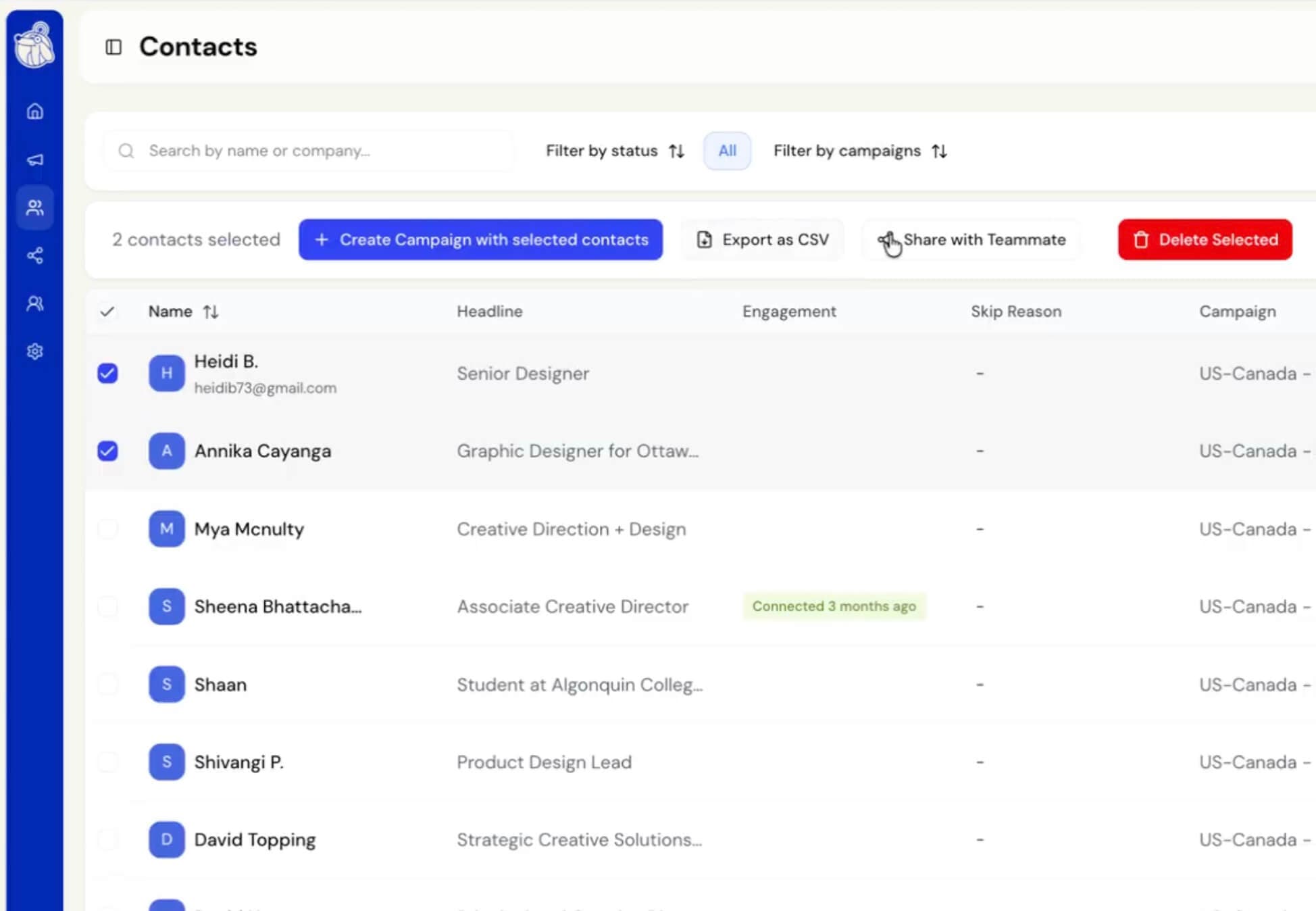
You can now share selected contacts directly with teammates. No need for manual exports or copy-pasting lists! Whether you are handing off a lead, aligning on outreach, or simply keeping your team in sync, sharing contacts is now instant and effortless.
How it works:
Option 1 – Selecting Contacts Individually:
- In your Contacts list, select one or more contacts using the checkboxes.
- Click “Share with Team Member” in the action bar that appears at the top.
- In the dialog, give the shared list a name and choose a team member from the dropdown.
- Click “Share [N] contacts” to send them over.
Any contacts already in the team member’s existing lists will automatically be excluded to avoid duplicates.
Option 2 – Sharing Contacts From Campaigns
Contacts can be shared directly from the campaign list view using the share icon next to each campaign, making it easy to hand off an entire campaign’s audience to a colleague.

