Filter your contacts down to withdrawn invitations
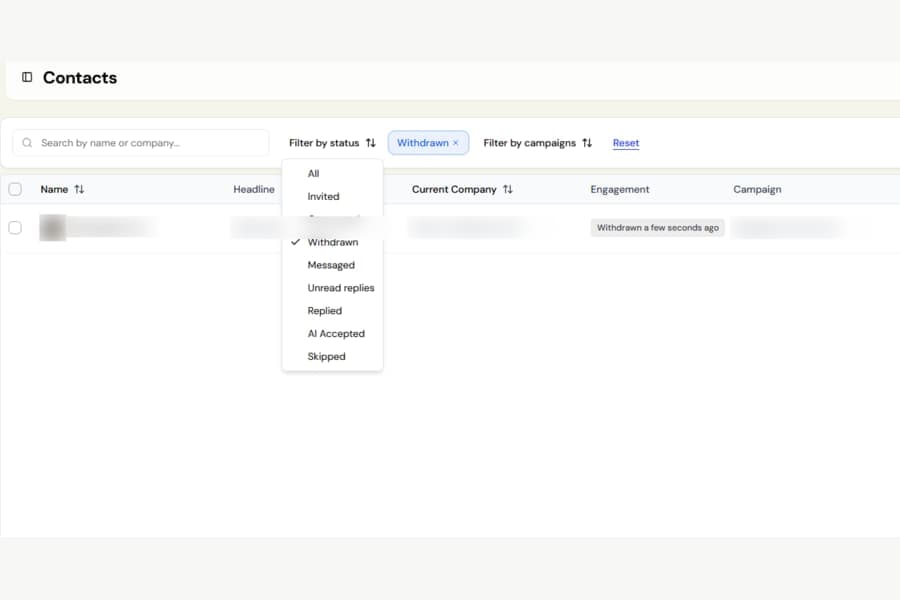
You can now easily find every contact whose connection invitation was withdrawn and take action on that list.
Previously, withdrawn invitations were mixed in with other contacts, with no simple way to filter them. This made it difficult to retry those contacts in a new campaign, export them, or share them with a teammate.
Withdrawn contacts could also still show an old campaign status, making it look like the campaign was still active for them.
What is new
The Contacts page now includes Withdrawn as an option in the status filter, alongside Invited, Connected, and the other available statuses.
Once filtered, you can use the same actions already available for other contact selections:
- Start a new campaign
- Export the contacts to CSV
- Share them with a team member
Withdrawn contacts now clearly display Withdrawn instead of an outdated campaign status.
For invitations withdrawn from today onwards, Botdog also shows how long ago the invitation was withdrawn.
Good to know
All invitations withdrawn automatically by Botdog are included, including older withdrawals.
Invitations you manually withdraw from Settings > Invitations will appear in the filter from today onwards. Invitations withdrawn manually before this update will not be included.

