July 1, 2026
Organizations and Agency Mode: manage multiple clients from one workspace
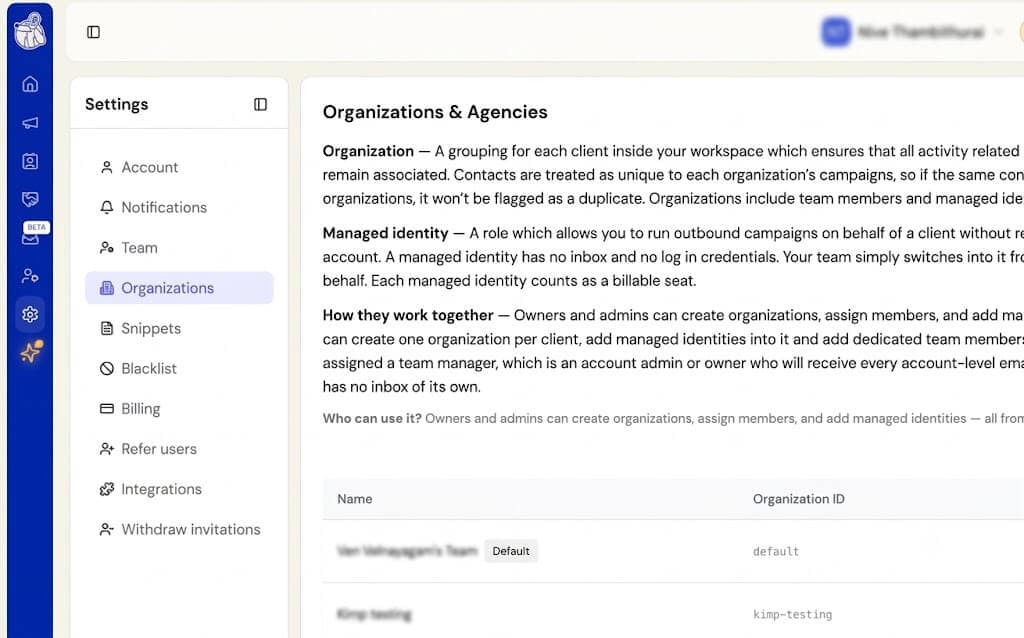
Agencies and teams managing multiple clients now have a dedicated setup in Botdog.
- Organizations — group the people and accounts you manage into separate organizations inside one workspace, so each client stays cleanly scoped.
- Managed identities — add the people you run outreach for as managed identities. Each one keeps its own LinkedIn account, name, photo, and settings. A new column on the Managed identities table shows which LinkedIn account is connected.
- Bulk invites — invite several teammates or managed identities at once.
- Inbox access controls — request, grant, and revoke access to a managed identity’s inbox from settings. Members can self-revoke when they no longer need access, with a confirmation step before access takes effect.
- Clearer setup — the Organizations page now explains how organizations, managed identities, and members relate to each other. The default organization stays hidden until you create your first real one.
- Preserved identities — admin-given names, profile photos, and identifying details on managed identities are now preserved. LinkedIn no longer overwrites the name you set, only the LinkedIn slug and premium-features info update automatically.
- Visible agency access — your account page now shows the agency manager looking after you, so it’s clear who has access.
If you don’t manage multiple clients, nothing changes for you. These pages only appear once agency mode is enabled on your workspace!

