August 19, 2026
Search and Sort Your Sent Invitations
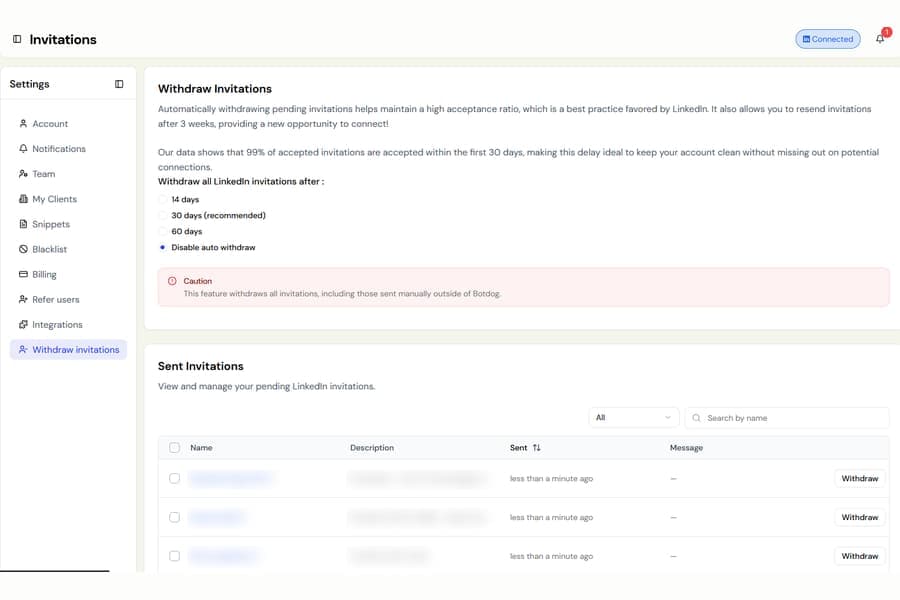
The Sent Invitations list under Settings > Withdraw Invitations is now easier to manage. You can now search for a specific pending invitation and sort the list by when it was sent.
What changed
- Search by name to quickly find a pending invitation without scrolling through the full list.
- Select the Sent column header to switch between newest first and oldest first.
- Sorting by oldest first makes it easier to find invitations that have been waiting the longest.
When you search or sort by oldest first, Botdog first loads the rest of your pending invitations from LinkedIn. This means the results cover your full list, not just the invitations already visible on screen.
Selecting multiple invitations and withdrawing them in bulk works exactly as before.

