If you work in commercial real estate, you have a pretty tough job. You need to recruit top brokers and agents to your team, target property owners for landlord representation, reach out to CFOs and facilities managers for tenant rep opportunities, and connect with investors for investment sales deals.
To be successful, recruiting AND business development need consistent outreach, personalized messaging, and systematic follow-up across multiple channels. And both eat up massive amounts of time when done manually.
In this guide, we’ll show you how to automate your CRE prospecting and recruiting using LinkedIn as your foundation, then layer in email and SMS for complete multi-channel coverage. You'll learn which tools actually work for commercial real estate, how to set up campaigns for both recruiting and business development, and how to integrate everything into your CRM without spending a fortune on bloated all-in-one platforms.
Whether you're a solo broker looking to build your first team or a brokerage managing dozens of agents across multiple markets, you'll walk away with a clear roadmap for automating LinkedIn outreach while maintaining the personal touch that closes deals in commercial real estate.
Why LinkedIn automation is valuable for commercial real estate
With over 1 billion members worldwide, LinkedIn provides direct access to the decision-makers you need to reach - property owners, C-level executives evaluating office space, private equity investors, and experienced brokers considering new opportunities. That’s why LinkedIn has become the de facto platform for commercial real estate networking and deal-making.
Unlike cold calling or emailing, LinkedIn allows you to research prospects thoroughly before reaching out, build relationships through valuable content, leverage warm introductions through mutual connections, and track engagement to optimize your approach.
For CRE recruiting, LinkedIn is where top producers maintain their professional presence. The best brokers are almost always active on LinkedIn, sharing market insights and building their personal brands. So when they're ready to make a move, they'll evaluate potential brokerages based partly on the strength and activity of the leadership team on LinkedIn.
For business development, LinkedIn offers unparalleled targeting capabilities. You can identify CFOs at tech companies that just raised Series B funding and are likely planning office expansion. You can find portfolio managers at family offices who specialize in your asset class. You can track when companies announce new leadership or expansion plans - all signals that indicate potential opportunities.
The problem is that effective LinkedIn prospecting requires consistent daily activity: sending connection requests, following up with new connections, engaging with content, and nurturing relationships over time. For a CRE professional juggling active deals, client meetings, property tours, and market research, manually managing 100+ LinkedIn conversations becomes impossible.
That's where automation comes in. The right tools handle the repetitive tasks - sending connection requests, scheduling follow-ups, tracking responses - so you can focus on the high-value conversations that actually move deals forward.
Best LinkedIn automation tools for commercial real estate in 2026
When evaluating LinkedIn automation tools for CRE, most professionals narrow it down to three platforms: Botdog, HeyReach, and Dripify. Each takes a different approach to LinkedIn automation, and the right choice depends on your team size, technical requirements, and budget.
Botdog: LinkedIn-focused simplicity with unlimited campaigns
Botdog specializes exclusively in LinkedIn automation, which means we built every feature specifically for LinkedIn prospecting and recruiting. Botdog runs entirely in the cloud and mimics human behavior patterns to keep your account safe.
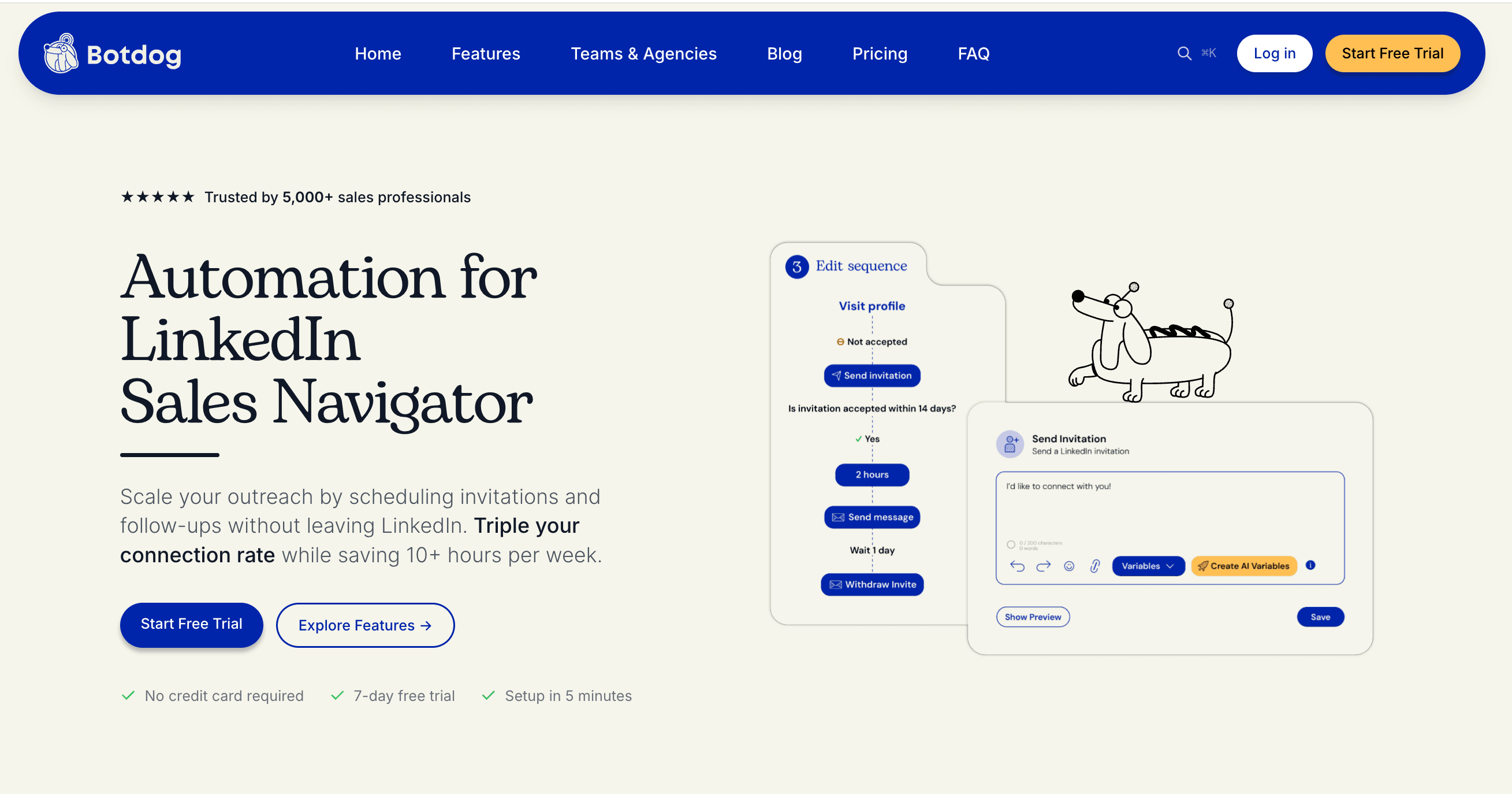
What makes our tool particularly valuable for CRE professionals is the unlimited campaigns feature, even on the Starter package. This is critical when you're simultaneously running recruiting campaigns, landlord outreach, tenant rep prospecting, and investment sales targeting. Many tools advertise low prices but restrict you to 1-3 campaigns, forcing expensive upgrades just to handle the multiple campaign types CRE requires. With Botdog, you can run separate campaigns for office tenant reps, industrial landlord prospects, retail investment sales, and broker recruiting - all at the same time, even at $35/month when paid annually.
Our LinkedIn Recruiter Lite integration is another standout feature. Botdog works seamlessly with LinkedIn Premium, Sales Navigator and Recruiter Lite accounts, whereas many automation tools don't support Recruiter accounts, forcing you to downgrade or maintain separate systems. If you're serious about recruiting brokers and agents, this integration is essential.
Botdog’s blacklist feature prevents you from accidentally messaging the wrong people. You can blacklist competitors, existing clients, former employees, or anyone you don't want to contact. The system supports both individual profile additions and bulk CSV uploads, so it’s easy to maintain extensive lists of contacts to avoid.
Botdog also features an email enrichment tool, which uses a waterfall approach across 15+ premium data providers, including Snov, Clearbit, ContactOut, Hunter, and Apollo. When building prospect lists, Botdog automatically finds verified email addresses for your contacts. You get 100 free enrichment credits with the Professional plan, then pay-as-you-go for additional lookups. This is crucial if you’d like to follow up via email if your LinkedIn outreach doesn't get a response.
Our team collaboration features (available on all plans) allow multiple team members to manage campaigns from a shared inbox, switch between LinkedIn accounts seamlessly, and track which team member is handling which conversations. For CRE brokerages with multiple recruiters or a BD team, this prevents duplicate outreach and ensures no prospects fall through the cracks.
Finally, if you’re a Professional + AI user, our AI-powered lead qualification feature automatically reviews prospects before you send connection requests, filtering out profiles that don't match your criteria. You can describe your ideal prospect in plain English, and our AI will evaluate each lead against those requirements before adding them to your campaign.
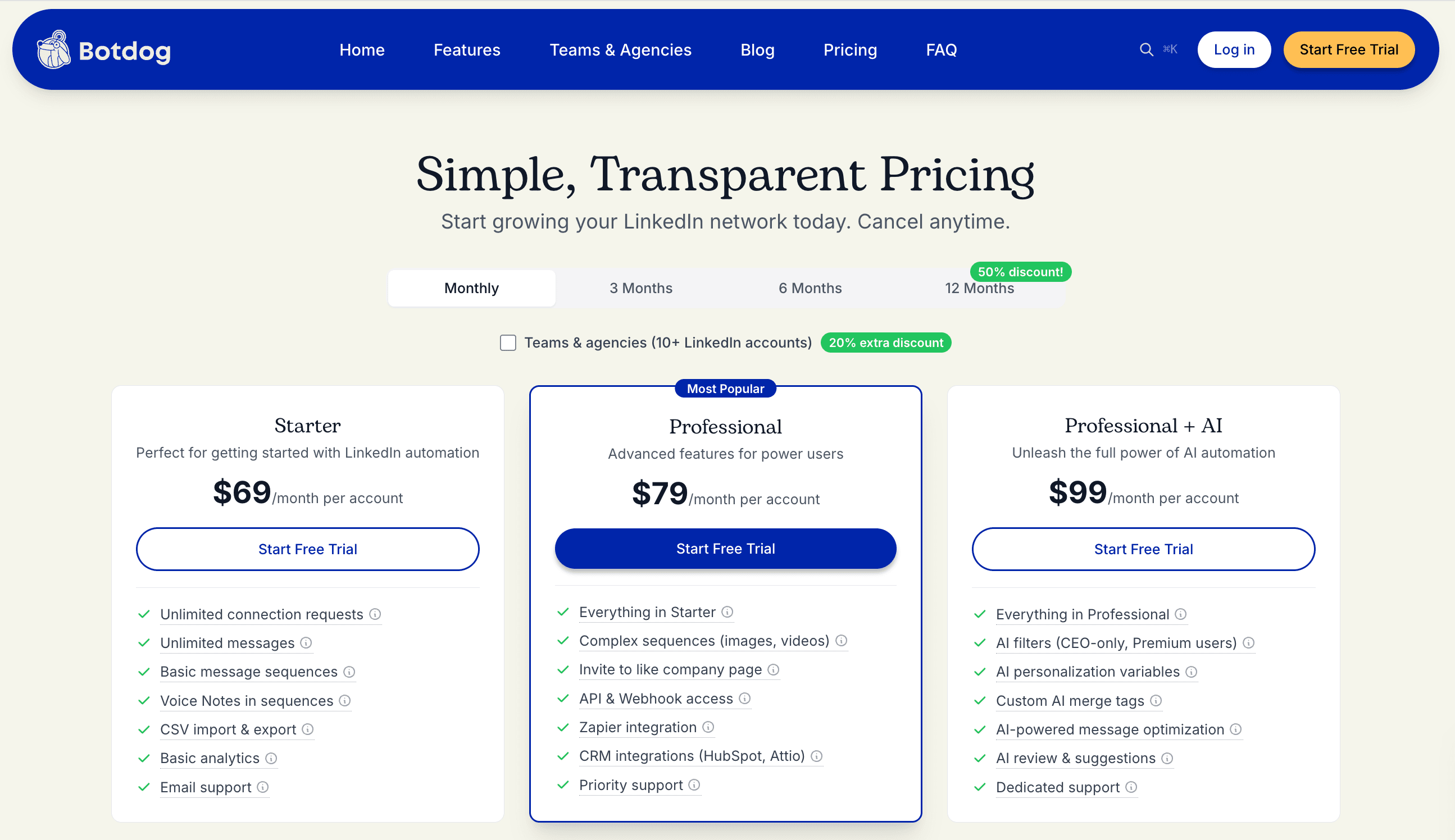
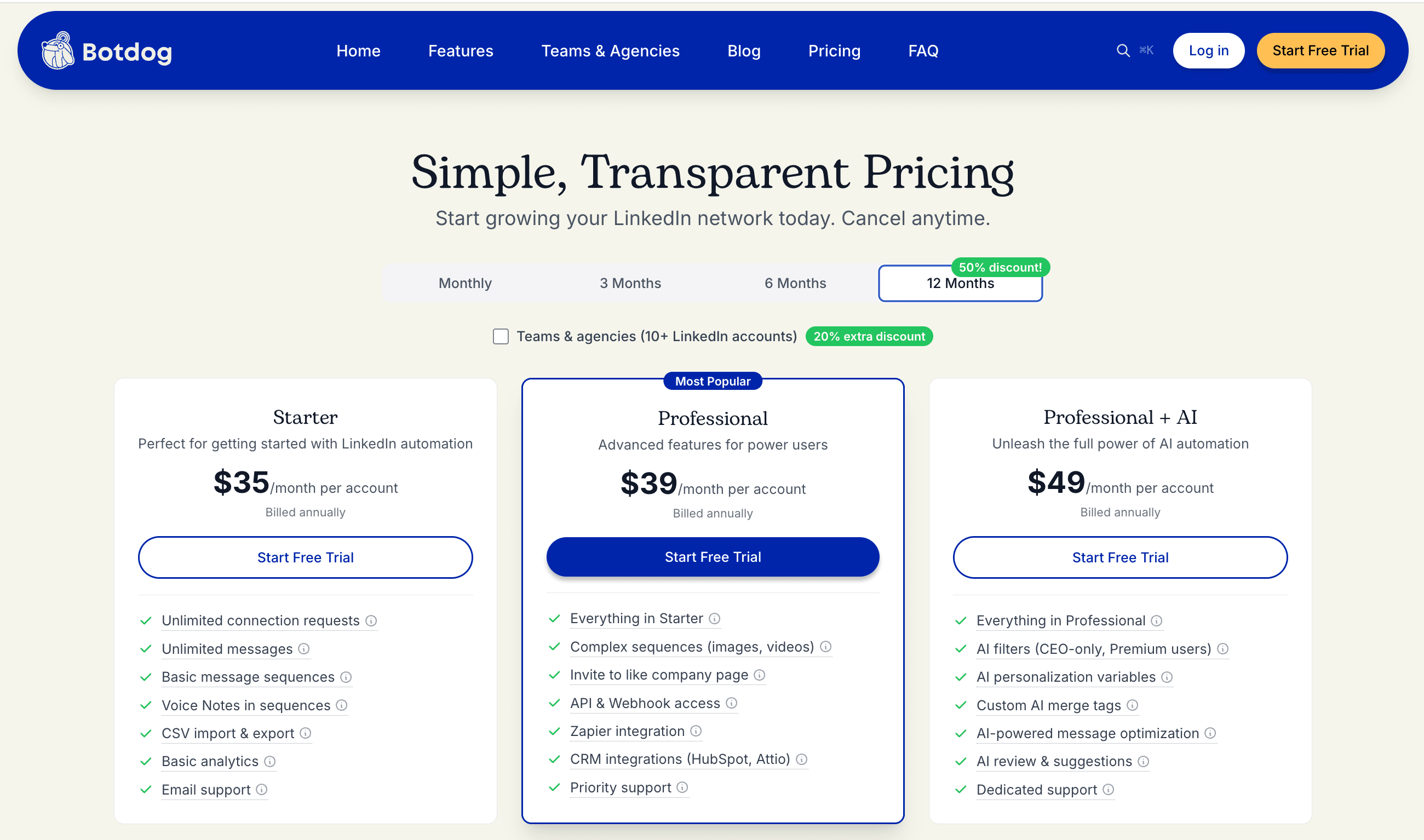
Botdog’s pricing: Starter at $35/month (annual billing) with unlimited campaigns, Professional at $39/month adds webhooks, API access, and advanced integrations, Professional + AI at $49/month includes AI lead filtering and AI-generated reply suggestions. Volume discounts kick in at 10+ accounts.
Want to test it out for yourself? Try Botdog free for 7 days and set up your first campaign in less than 5 minutes!
HeyReach: multi-account scalability for larger teams
HeyReach focuses on scalability for agencies and larger CRE firms managing multiple LinkedIn accounts.
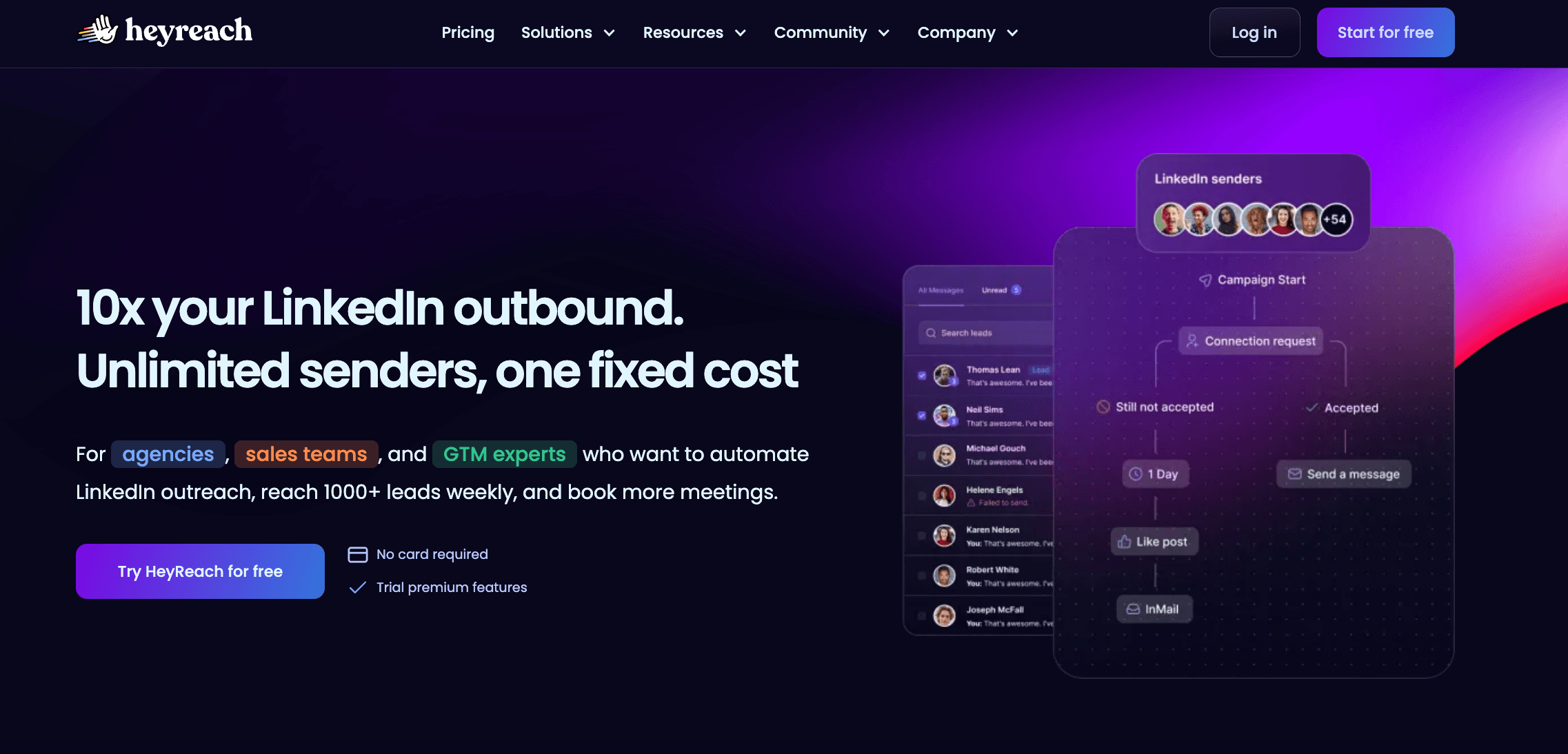
Their standout feature is multi-sender campaigns - you can have multiple LinkedIn accounts sending to the same campaign, which helps you stay within daily limits while reaching more prospects.
This is valuable for larger brokerages where multiple team members need to reach the same prospect pool. Instead of one person maxing out their connection requests, you can distribute outreach across 3-5 team members' accounts while maintaining a unified campaign.
Like Botdog, HeyReach also features a unified inbox that lets you manage conversations across all accounts and even reply on behalf of colleagues. When a prospect responds to one team member's outreach, anyone with access can continue the conversation seamlessly.
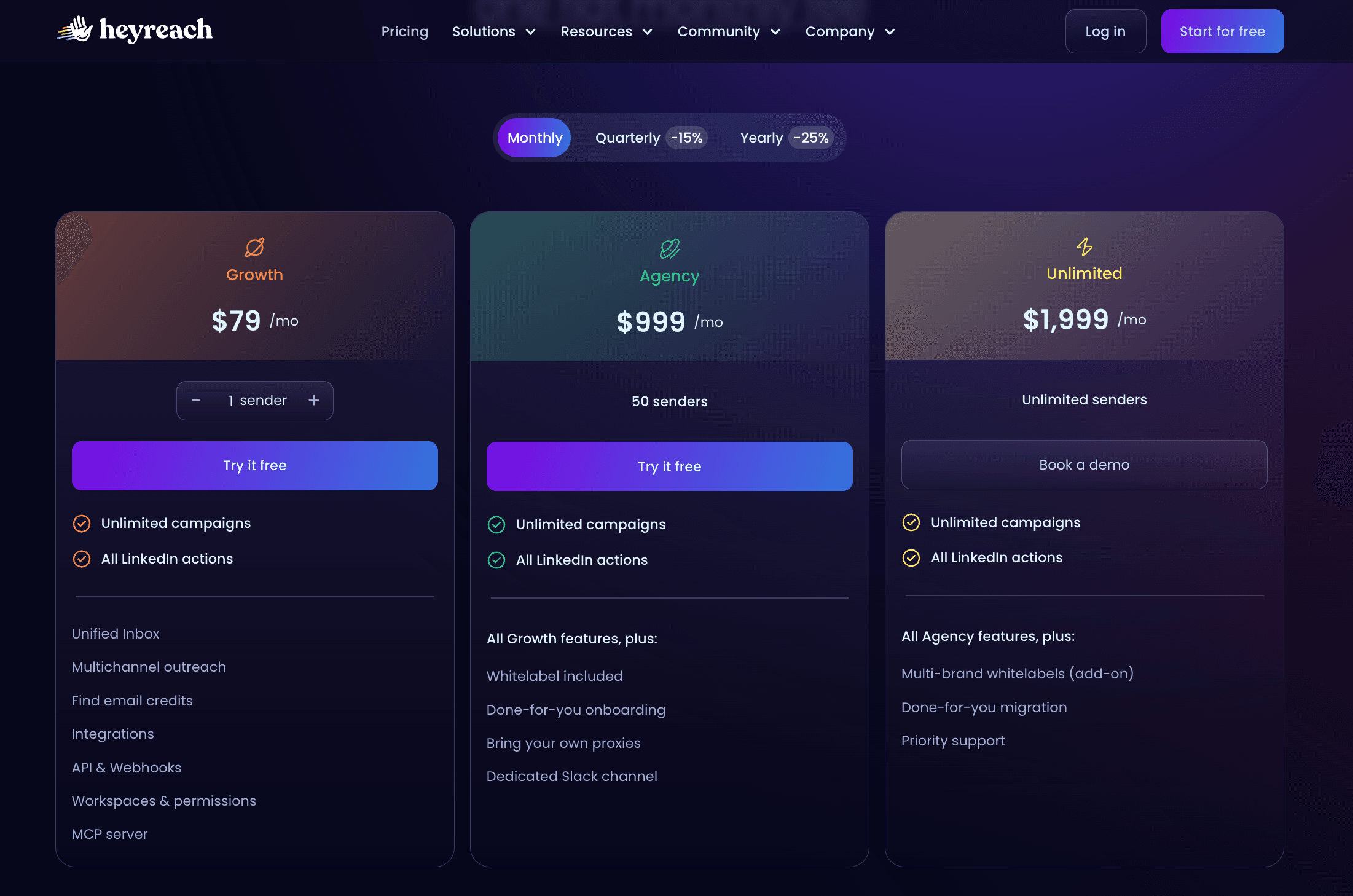
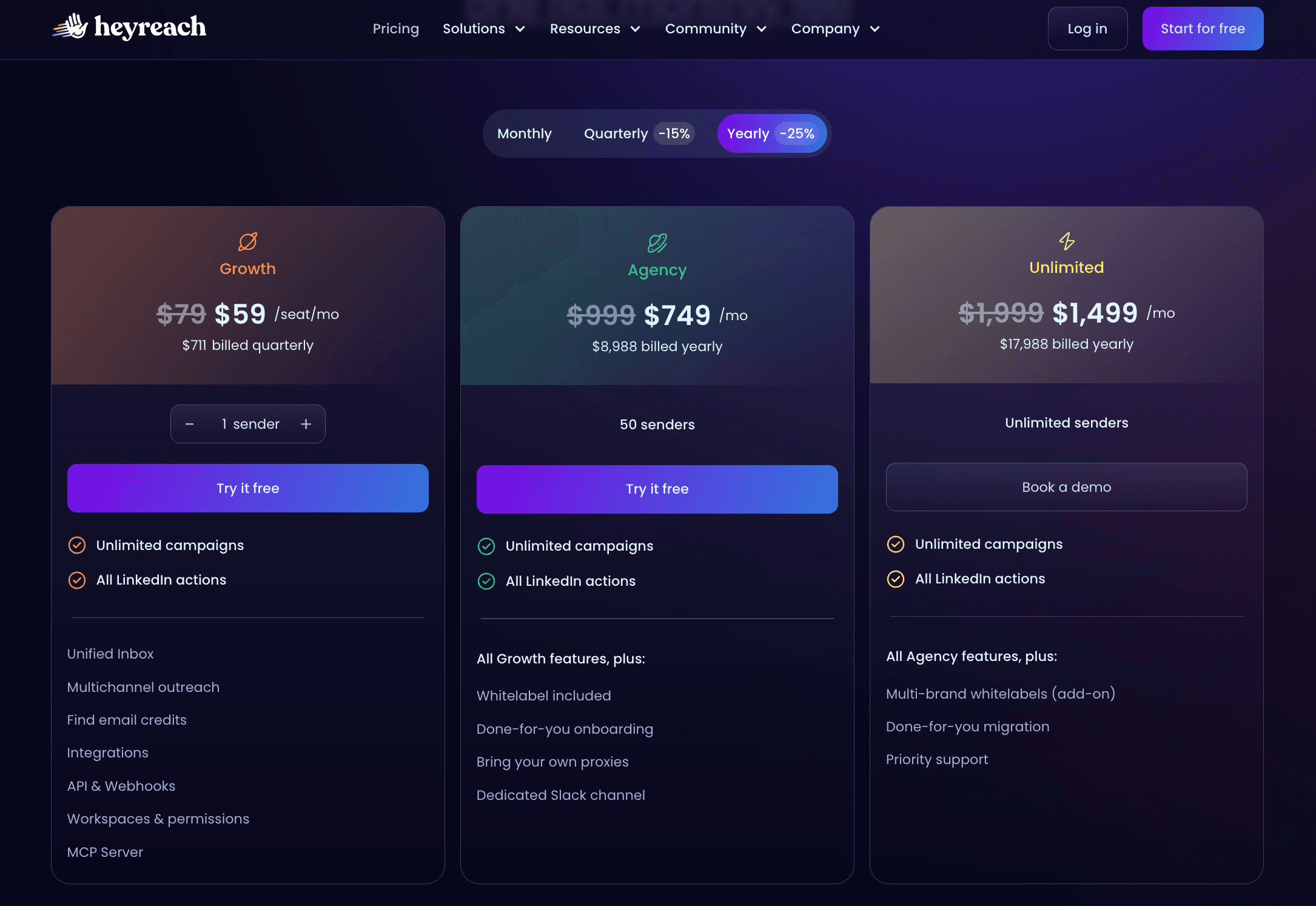
HeyReach’s pricing is usage-based and becomes cost-effective at scale. For most solo brokers or small teams (1-5 people), it's overkill and more expensive than needed. But for agencies managing 35+ LinkedIn accounts or large brokerages running coordinated campaigns, HeyReach becomes more cost-effective than Botdog.
Dripify: multi-channel focus but with campaign restrictions
Dripify started as a LinkedIn automation tool and added email capabilities later.
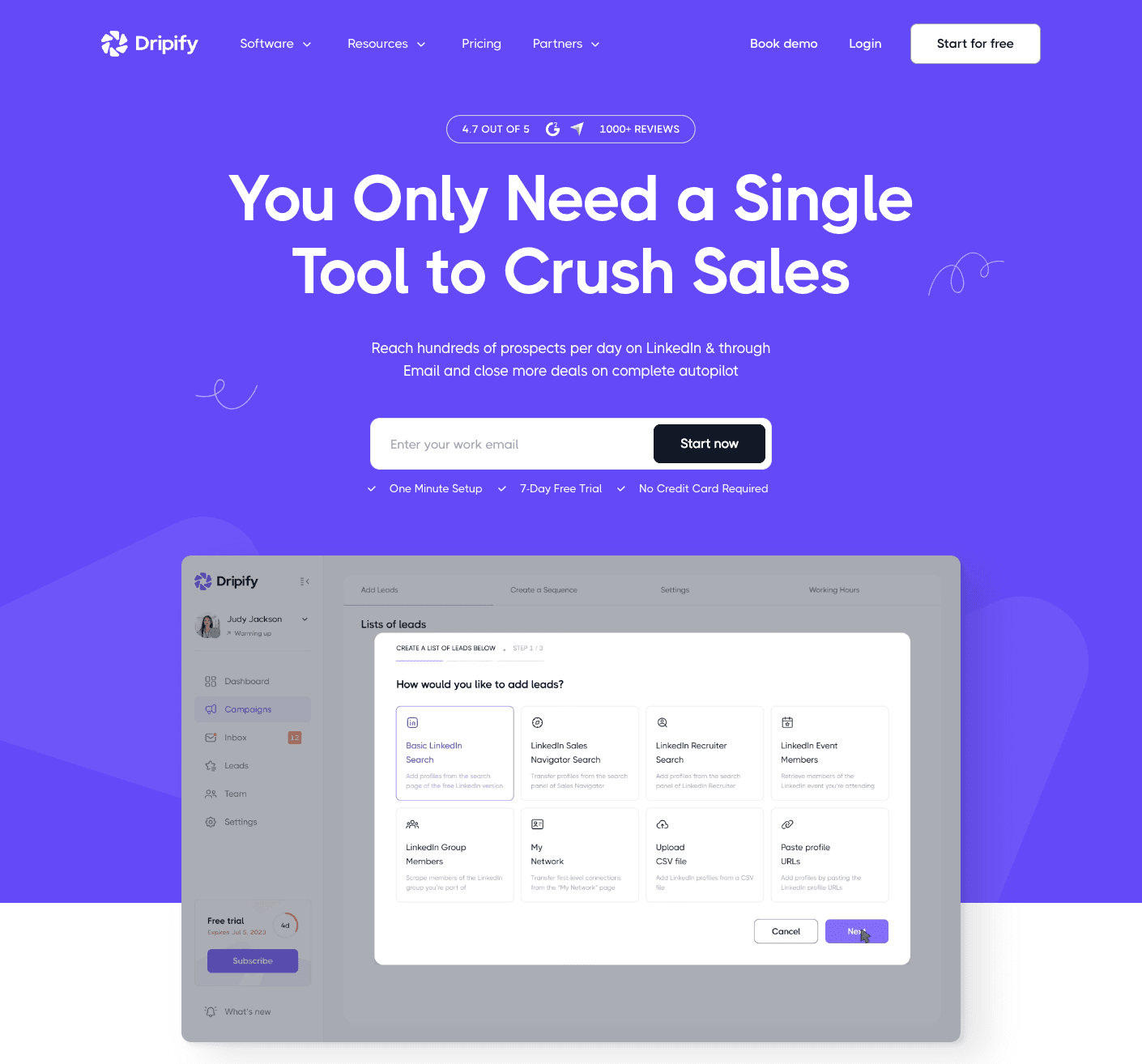
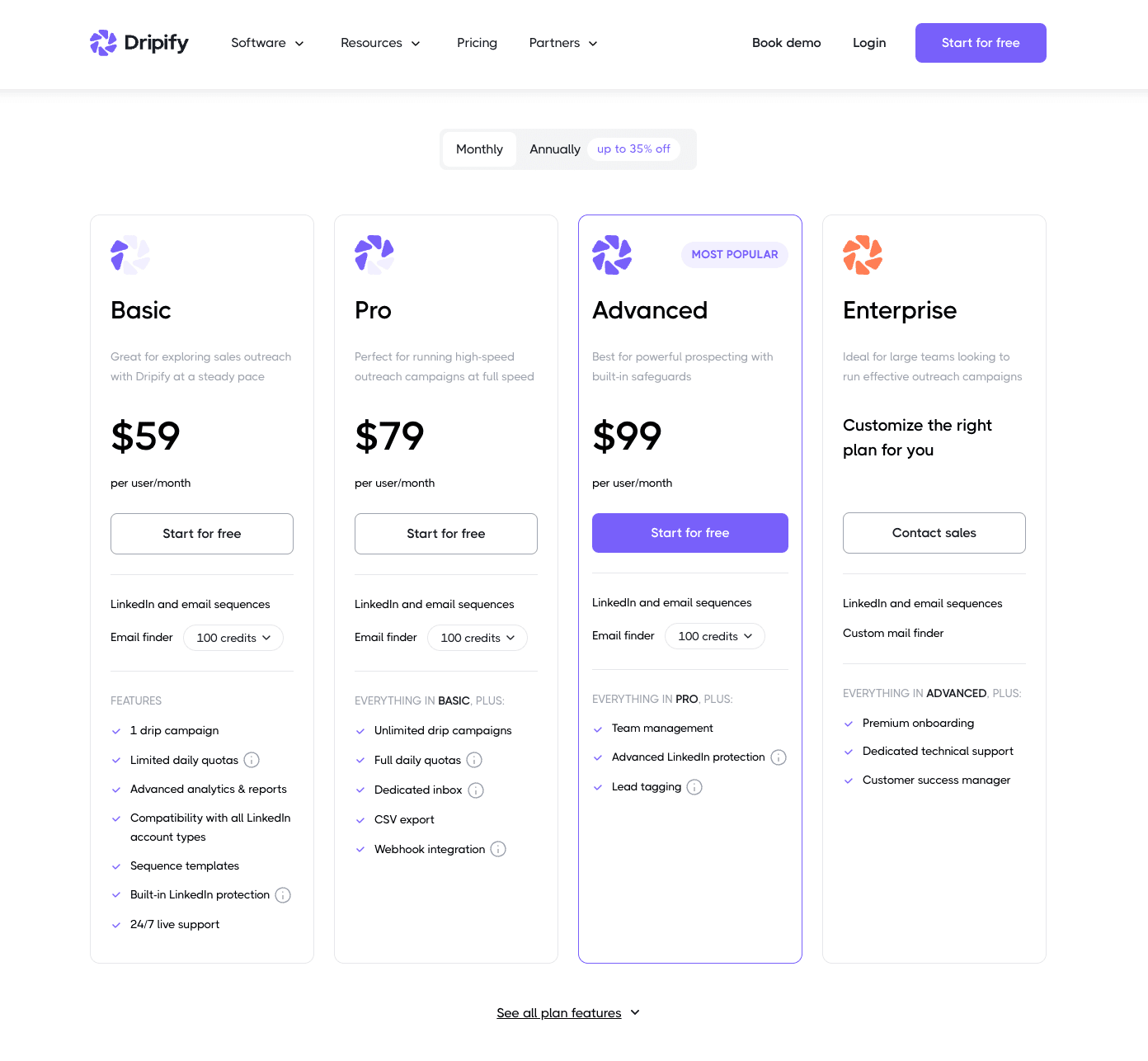
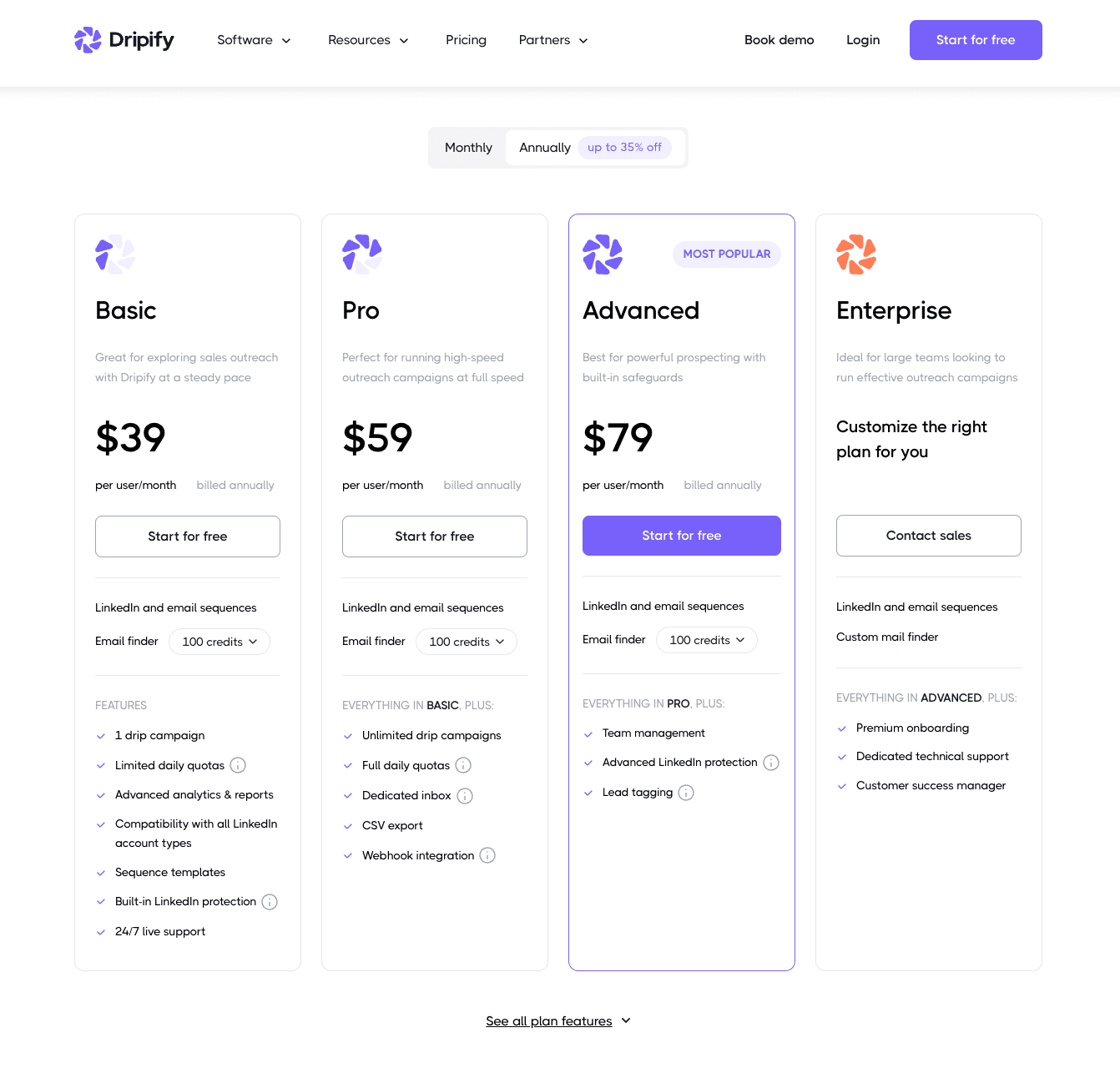
Their Basic plan at $59/month handles LinkedIn automation but limits you to one campaign. The Advanced plan at $79/month allows unlimited LinkedIn campaigns. The Pro plan at $99/month adds email finder, verification, and email sequences.
For CRE professionals running multiple campaigns simultaneously, the one-campaign limit on the Basic tier forces you into the Advanced or Pro plans at $79-$99/month. At that price point, you're paying more than Botdog while getting less LinkedIn-specific functionality.
Email automation is built directly into the platform on the Pro tier, which can be convenient if you want everything in one dashboard. However, the email deliverability and features are less sophisticated than dedicated email tools like Instantly or Lemlist.
How to smart-stack and build the ultimate multichannel workflow
The question that most CRE professionals end up asking themselves is: “Should I buy an all-in-one tool that handles LinkedIn, email, SMS, etc, or should I build a stack that combines the best tools for each channel?”.
The short answer is that while all-in-one tools promise simplicity - one platform, one login, one dashboard - the reality is often different. Most multi-channel platforms do one thing well and everything else mediocrely, so you end up paying for features you don't need while getting subpar results.
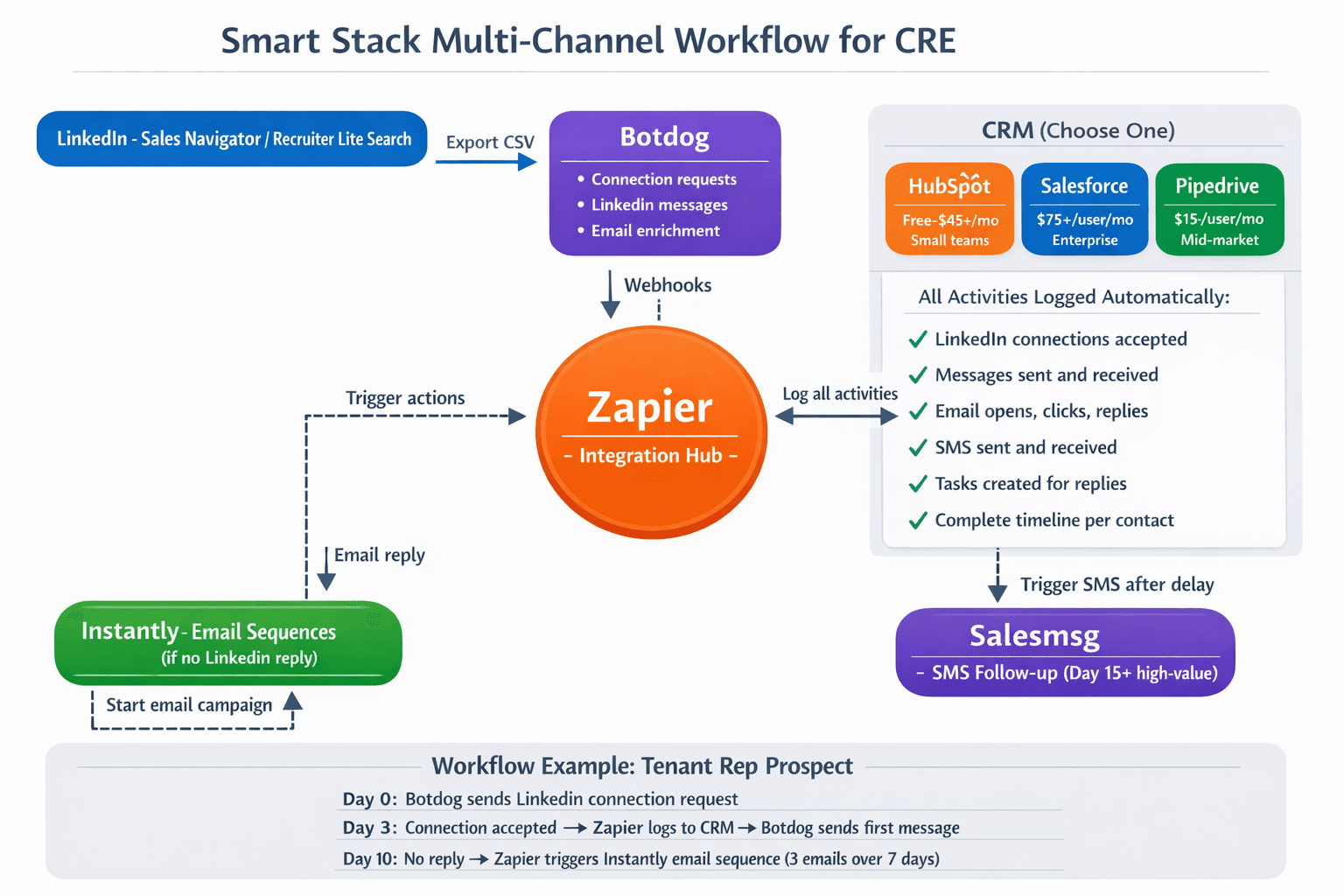
Building a stack involves connecting best-of-breed tools for each channel through Zapier or webhooks. You could get specialized LinkedIn automation from Botdog, dedicated email deliverability from Instantly, and optional SMS through Salesmsg, with everything automatically synced to your CRM.
The smart stack approach combines best-of-breed tools for each channel, connected through Zapier or webhooks. You could get specialized LinkedIn automation from Botdog, dedicated email deliverability from Instantly, and optional SMS through Salesmsg. Everything syncs to your CRM automatically.
Recommended stacks for CRE professionals
Stack #1: LinkedIn + Email
- Botdog Professional: $39/month annually
- Instantly Growth: $30/month annually
- Zapier Professional: $19.99/month annually
Total: $88.99/month or $1,067.88/year
This stack handles LinkedIn automation through Botdog (unlimited campaigns for recruiting, tenant rep, landlord, and investment sales), email sequences through Instantly, and syncs everything to HubSpot, Salesforce, or Pipedrive via Zapier webhooks.
Botdog Professional includes webhooks and API access for integrations, email enrichment with 100 free credits, and a team inbox for collaboration. Instantly Growth provides unlimited email accounts, unlimited sending to active contacts, and email warm-up included.
Stack #2: LinkedIn + Email + SMS
- Botdog Professional: $39/month annually
- Instantly Growth: $30/month annually
- Salesmsg: $25/month (500 texts)
- Zapier Professional: $19.99/month annually
Total: $113.99/month or $1,367.88/year
This stack adds SMS capability for high-value prospects who don't respond to LinkedIn or email. Salesmsg integrates directly with HubSpot and Pipedrive for seamless workflows.
Your workflow could look something like this: Days 1-7, Botdog sends LinkedIn connection request and follow-ups. Days 8-14, if no LinkedIn response, Instantly sends email sequence. Day 15, if still no response, Zapier triggers Salesmsg to send personalized SMS. All activities log to your CRM timeline automatically.
How to integrate your stack
The technical integration happens through webhooks and Zapier workflows. Here's the simplified setup:
Step 1: Prepare your lead list
Use LinkedIn Sales Navigator, Recruiter Lite, or Apollo to identify your prospects. Export a CSV with names, companies, LinkedIn URLs, and email addresses (if available).
Step 2: Load your leads into Botdog
Import the CSV into Botdog. It matches each contact to their LinkedIn profile and adds them to your campaign. Configure your sequence (connection request on Day 0, first message on Day 4 after acceptance, follow-up on Day 10 if no reply).
Step 3: Load the same leads into Instantly
Import the CSV into Instantly and create an email sequence - maybe 3 emails over 2 weeks. Launch the campaign.
Step 4: Connect via Zapier
Create these automated workflows:
- "New Botdog Lead → Create HubSpot/Salesforce/Pipedrive Contact": When Botdog starts outreach, Zapier creates a contact and logs the activity on your CRM.
- "Botdog Reply Received → Update CRM + Pause Instantly": When a lead replies on LinkedIn, Zapier logs the reply and removes the contact from the email sequence to avoid double-messaging.
- "Instantly Email Reply → Create CRM Task": When someone replies to your email, Zapier creates a follow-up task.
- "Delay 7 Days → Check HubSpot → Send SMS": If the contact hasn't replied on LinkedIn or email after 7 days, trigger an SMS through Salesmsg.
Your CRM (HubSpot, Salesforce, or Pipedrive) becomes the central hub where all LinkedIn activity, email responses, and SMS conversations converge into a single contact timeline - no manual data entry required.
Setting up CRE campaigns: recruiting vs business development
The key to successful automation for CRE professionals is campaign separation. You can’t run recruiting prospects and business development prospects through the same sequence because they require different messaging, different timing, and different follow-up approaches.
Campaign structure for recruiting
1/ Define your target profiles
Use Sales Navigator or Recruiter Lite to build searches for brokers matching your criteria: job titles (Commercial Real Estate Agent, Tenant Representative, Investment Sales Broker, etc.), experience levels (0-3 years for entry-level capacity, 3-7 years for immediate production, 7-15 years for leadership), geographic markets (your primary market plus adjacent expansion markets), and asset class expertise relevant to your brokerage. Export prospects to CSV using Botdog's Search Export feature and segment by seniority and specialty - junior brokers, mid-level producers, and senior brokers each get their own campaign.
2/ Multi-channel follow-up
For brokers who accept your connection but don't respond to LinkedIn messages, use Botdog's email enrichment to find their email address. After 14 days of no response on LinkedIn, trigger an email sequence through Instantly. Set up Zapier to pause the email campaign if they reply on LinkedIn, preventing double-messaging.
Campaign structure for business development
Split business development campaigns into three types: tenant representation, investment sales, and landlord representation, because each requires specialized targeting and messaging.
Tenant representation campaigns target CFOs, VP Operations, Facilities Managers, and Real Estate Directors at companies showing growth signals: recent funding rounds, headcount increases visible on LinkedIn, new executive hires in operations or finance, expansion announcements, or lease expiration mentions. Use Premium/Sales Navigator to filter by job title, company size (50-500 employees typically), industry (tech, finance, healthcare, professional services), and recent activity or company changes.
Investment sales campaigns target Managing Partners at PE firms with real estate focus, Investment Directors at family offices, Portfolio Managers at REITs, and high-net-worth individuals active in CRE investment groups. Your search criteria could include LinkedIn group participation, attendance at CRE conferences, job history at investment firms or sponsors, and educational background in finance or real estate.
Landlord representation campaigns target property owners and asset managers with identification signals like mentions of specific properties owned in profiles, posts about property management challenges, participation in landlord/property management groups, and recent property acquisitions visible in public records.
Advanced personalization with CRE data
Generic personalization usually doesn’t work in commercial real estate, so use custom CSV fields to enrich your outreach with CRE-specific data.
For tenant rep campaigns:
- Company funding round and amount
- Current headcount (from LinkedIn company page)
- Recent expansion announcements
- Headquarters location for relocation discussions
For investment sales campaigns:
- Recent acquisition history (public records or news)
- Preferred asset class from their profile or posts
- Typical deal size range from disclosed transactions
- Geographic focus markets
For landlord rep campaigns:
- Property addresses from profiles or public records
- Estimated property size and type
- Asset subtype (Class A office, flex industrial, neighborhood retail)
- Observable vacancy from signage or listings
This level of personalization separates professional CRE outreach from generic spam because recipients can tell you've researched their specific situation.
The bottom line...
As a commercial real estate professional, you need to use automation tools that understand the complexity of your work - it’s not easy to run multiple recruiting and business development campaigns simultaneously!
The smart stack approach - using Botdog for specialized LinkedIn automation, Instantly for email, and Salesmsg for SMS, all connected through Zapier to your CRM - delivers superior results at a lower cost than most multi-channel platforms.
Most importantly, this approach helps you maintain the personal touch that actually closes deals in commercial real estate. Automation handles the repetitive outreach and follow-up that would otherwise consume 10+ hours weekly so that you can focus on the conversations that matter.
Ready to start automating your CRE business development and recruiting? Start your free 7-day Botdog trial today and build your first LinkedIn campaign in less than 5 minutes!