On LinkedIn, where professional networking meets modern recruiting, automation tools make your workflow easier.
You can save hours of manual outreach and get better hiring results with the right LinkedIn Recruiter automation tools.
These tools help you connect with qualified candidates faster, send personalized messages and manage follow-ups without constant effort.
This guide helps you understand how automation fits into modern hiring, compare popular tools, and choose the right one for your needs while keeping the human touch that makes great recruitment possible.
The Rise of LinkedIn Recruiter Automation Tools
The recruitment process is changing as many LinkedIn automation tools help recruiters work faster and smarter. These tools make it easy to find and reach out to potential candidates, saving time on tasks like searching, messaging and scheduling.
Companies using AI-assisted messaging are 9% more likely to make a quality hire, per LinkedIn data.
But even with all this technology, personalization is still very important.
Candidates respond better when messages feel real and thoughtful, not copied and automated. Adding a personal touch helps build trust and keeps the recruitment process human.
The best recruiters use automation to handle the routine work while focusing on real connections with potential candidates.
What are LinkedIn Recruiter Automation Tools?
LinkedIn Recruiter automation tools are AI-powered recruiting platforms that make LinkedIn hiring smarter and more organized.
They go beyond basic message sending by using data and algorithms to find the best-fit candidates for a recruiter’s target audience.
These tools can also manage multiple LinkedIn accounts safely, track candidate interactions and even suggest the best times to reach out.
Integrated with LinkedIn Recruiter and Recruiter Lite, they provide insights that help improve hiring decisions.
A common misconception is that automation removes control, but in reality, it gives recruiters clearer data and stronger management over their recruitment strategy.
Benefits of Using LinkedIn Automation for Recruitment
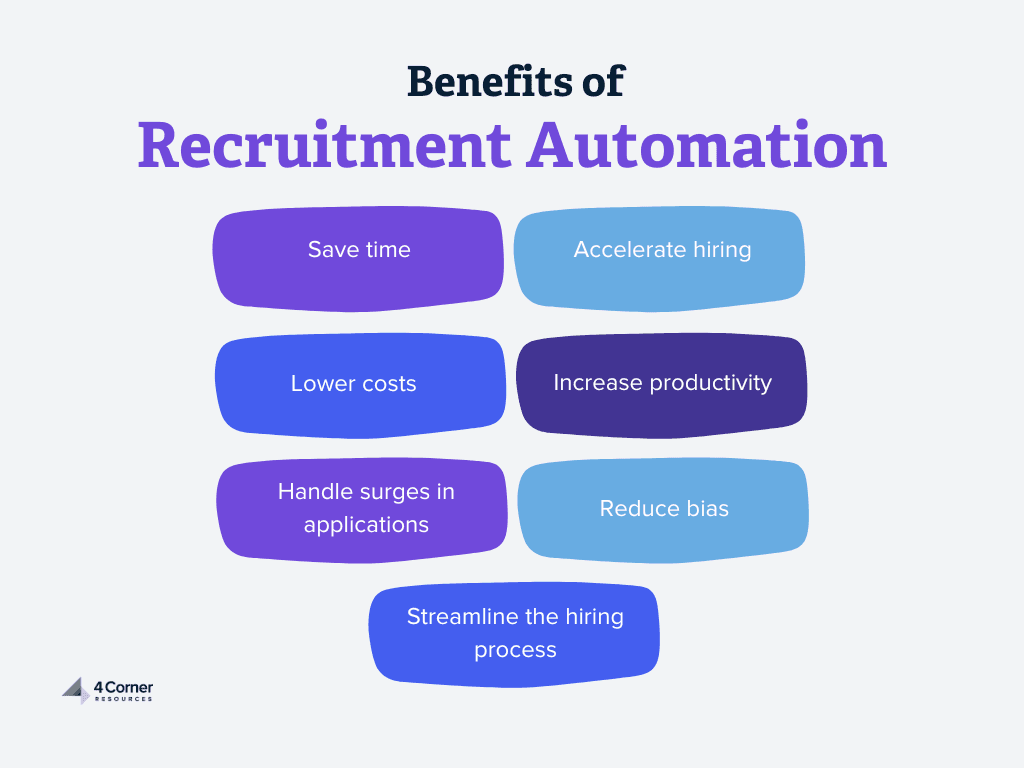
Image source: 4 Corner Resources
Recruiters struggle with long hiring cycles, missed follow-ups and too many candidates to manage.
LinkedIn Recruiter automation tools solve these problems by bringing structure, speed and consistency to the recruitment process.
Here are the benefits:
- Prevent lost leads: Automation ensures every message is sent and followed up on, so you don’t miss out on qualified candidates.
- Unify hiring teams: Teams can use shared templates and workflows so everyone is on the same page.
- Reduce burnout: Automate time-consuming tasks so you can have meaningful conversations, not repetitive outreach.
- Shorten time-to-hire: Faster communication and scheduling get roles filled faster.
- Fair candidate evaluation: Automated tracking reduces bias and helps you compare candidates more objectively.
Overall, many LinkedIn automation tools help you manage volume, be consistent and deliver a smoother, more professional hiring experience.
Types of LinkedIn Recruiter Automation Tools
LinkedIn automation tools come in several types that help recruiters streamline hiring, find passive candidates, and stay organized while managing outreach and communication.
| Type of Tool | Main Function | How It Helps Recruiters |
|---|---|---|
| Outreach and Connection Request Automation | Sends connection requests and welcome messages automatically. | Helps reach more passive candidates quickly and build a stronger network. |
| Bulk Messaging and Follow-Up Sequences | Sends timed follow-ups and reminders. | Keeps the LinkedIn inbox active and increases response rates from top candidates. |
| Candidate Sourcing and Profile Enrichment | Finds and updates profiles with skills and experience. | Makes it easier to match candidates with the right job titles and roles. |
| Analytics and Reporting Tools | Tracks messages, responses, and conversions. | Improves LinkedIn lead generation and helps plan better hiring strategies. |
Using the right mix of LinkedIn Recruiter automation tools helps recruiters find, connect with and hire top candidates faster and more effectively.
Best LinkedIn Recruiter Automation Tools This Year
There are plenty of LinkedIn Recruiter automation tools out there, but a few really stand out because of their features and reliable performance.
We’ll review five popular options recruiters often use:
- Botdog (Start a free trial)
- Dux-Soup
- Leonar
- Linked Helper
- Expandi
Each tool offers unique ways to save time, manage outreach, and connect with the right candidates more easily.
Botdog
Botdog helps you automate LinkedIn recruiting tasks without complex setup. You can import candidate lists, send connection requests and follow up with messages automatically.
You can connect several LinkedIn accounts and manage them from one dashboard. It makes it easy to handle multiple recruiting projects or clients without switching browsers or logging in and out.
It’s built for recruiters, LinkedIn lead generation agencies, salespeople and small teams that want efficient outreach while keeping accounts safe.
Start a free trial now.
User reviews
Botdog scores 4.9 out of 5 on G2. Users often highlight Botdog’s simple interface and quick setup. Many appreciate that it automates outreach yet still feels personal, reducing time spent on manual messaging.
Key features
- Send automated connection requests, with or without a personalized note
- Automatically remove pending invites after 30 days
- Create blacklists to avoid reaching competitors, clients, or existing contacts
- Set up multi-step follow-up messages that stop once someone replies
- Import contacts directly from LinkedIn Search, Sales Navigator, events, or through CSV/API uploads
- Work as a team with multi-account access and a shared inbox
- Use AI to review leads and personalize messages
- Save and reuse message snippets for fast, customized replies
- Connect with other tools using API, Zapier, or webhook integrations
- Export LinkedIn data to CSV or Excel
- Track campaign performance and run A/B tests to improve results
Pros
- Quick setup
- Strong safety measures
- Team-friendly features
- AI integration
- Works while offline
Cons
- No email outreach
Pricing
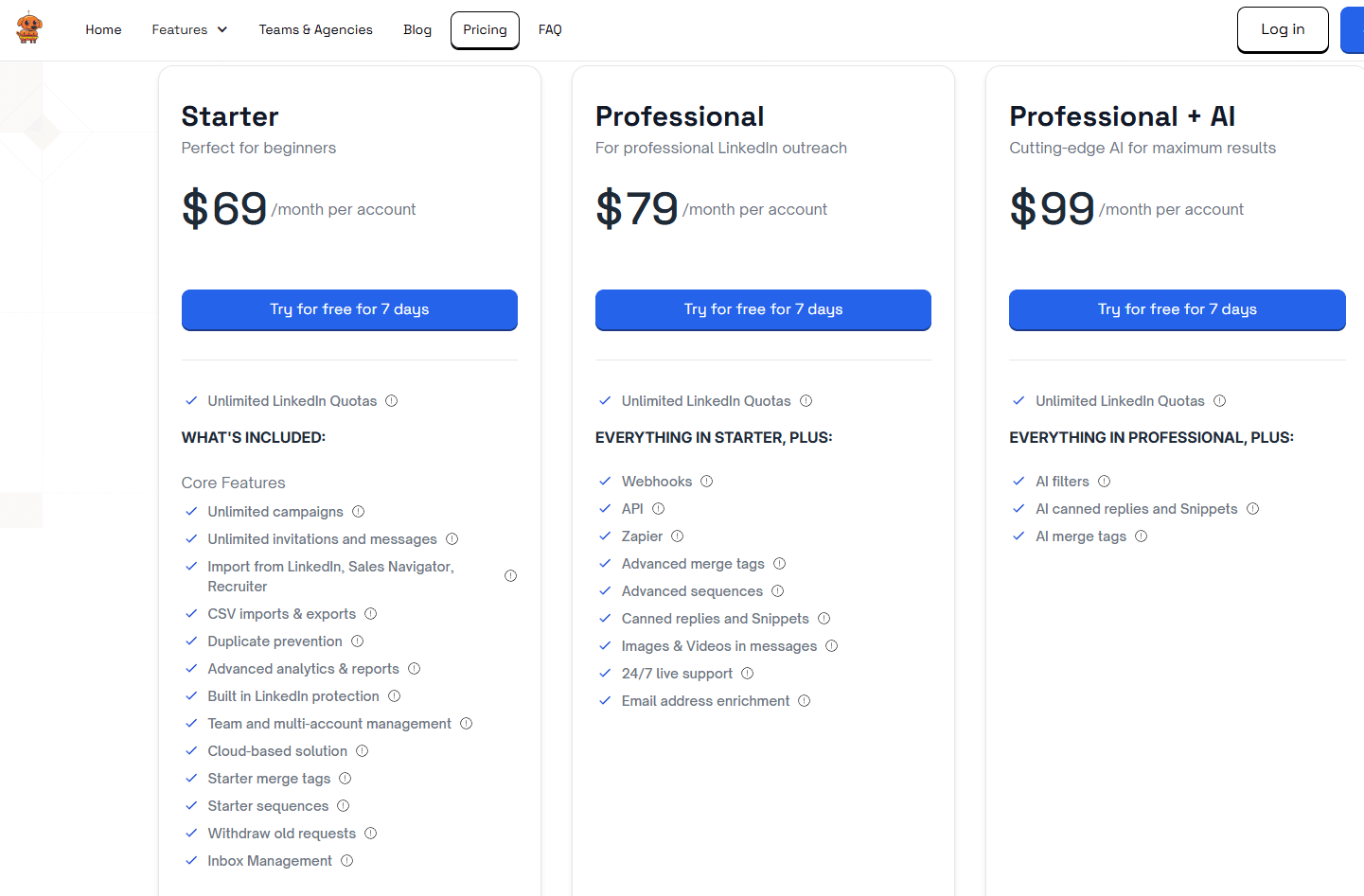
Botdog pricing starts at $69 per month for each account.
If you pay yearly, the cost drops to $35 per month, giving you a 50% discount with access to unlimited LinkedIn campaigns and no extra charges.
For teams or agencies managing 10 or more LinkedIn accounts, there’s an extra 20% discount on the annual plan, bringing the price down to $28 per month.
Check all pricing details.
Botdog runs your campaigns automatically, even when you’re not online, which is great for busy recruiters.
Try it for free before subscribing.
Dux-Soup
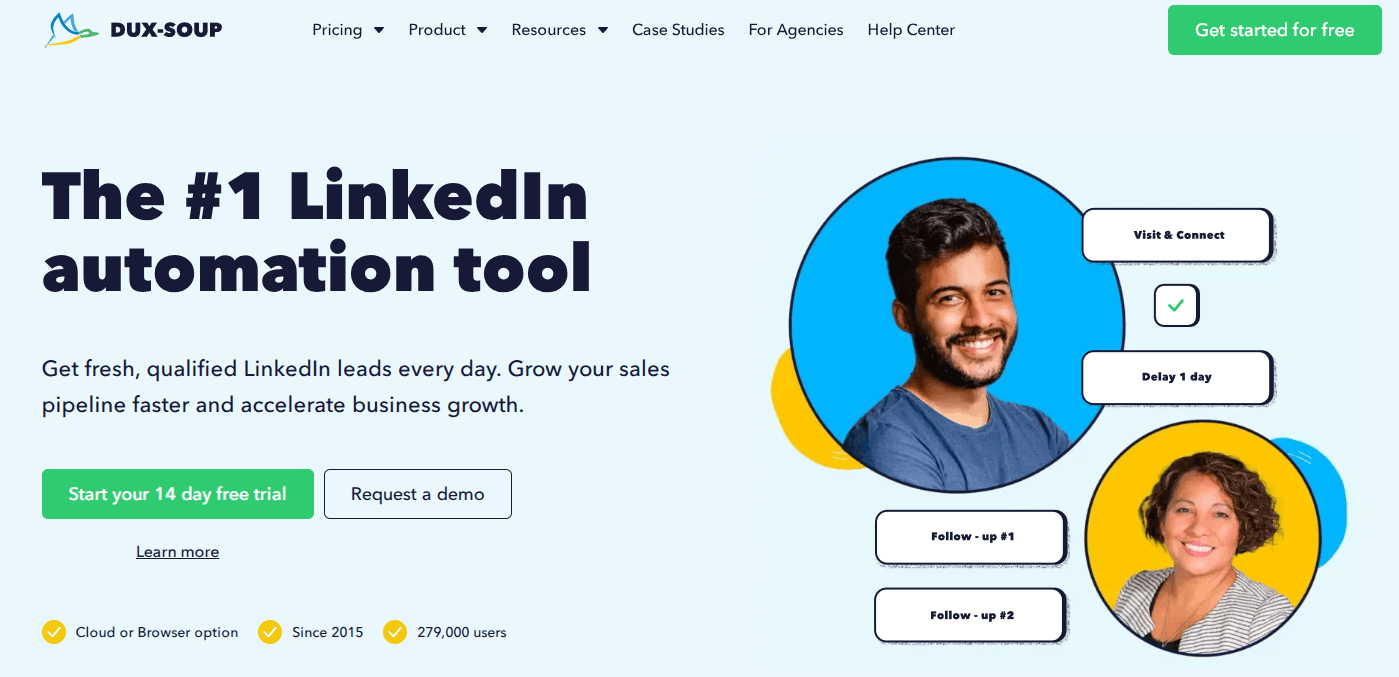
Dux-Soup helps you automate your LinkedIn outreach so you can focus on building real connections instead of spending hours on manual tasks.
It works directly from your browser or in the cloud, making it easy to manage campaigns for recruiting or lead generation.
You can use Dux-Soup to view profiles, send connection requests, messages and InMails automatically.
It mimics human behavior with built-in pauses and daily limits, helping you stay within LinkedIn’s safety guidelines while keeping your activity steady.
User reviews
Dux-Soup scores 4.3 out of 5 stars on G2. Users like its ease of use, time-saving features, campaign management and networking automation.
Key features
- Automates profile visits, follows and endorsements
- Sends personalized messages and connection invites
- Integrates with Salesforce, HubSpot, Pipedrive, Slack
- Offers inbox syncing for LinkedIn, Sales Navigator and Recruiter
- Provides campaign analytics, lead tracking and A/B testing
- Supports unlimited client accounts and campaigns for agencies
Pros
- Saves time with full automation
- Strong integrations with popular CRMs
- Positive customer support experiences
Cons
- UI can be hard for beginners
- Higher cost for smaller teams
- Occasional integration issues
Pricing
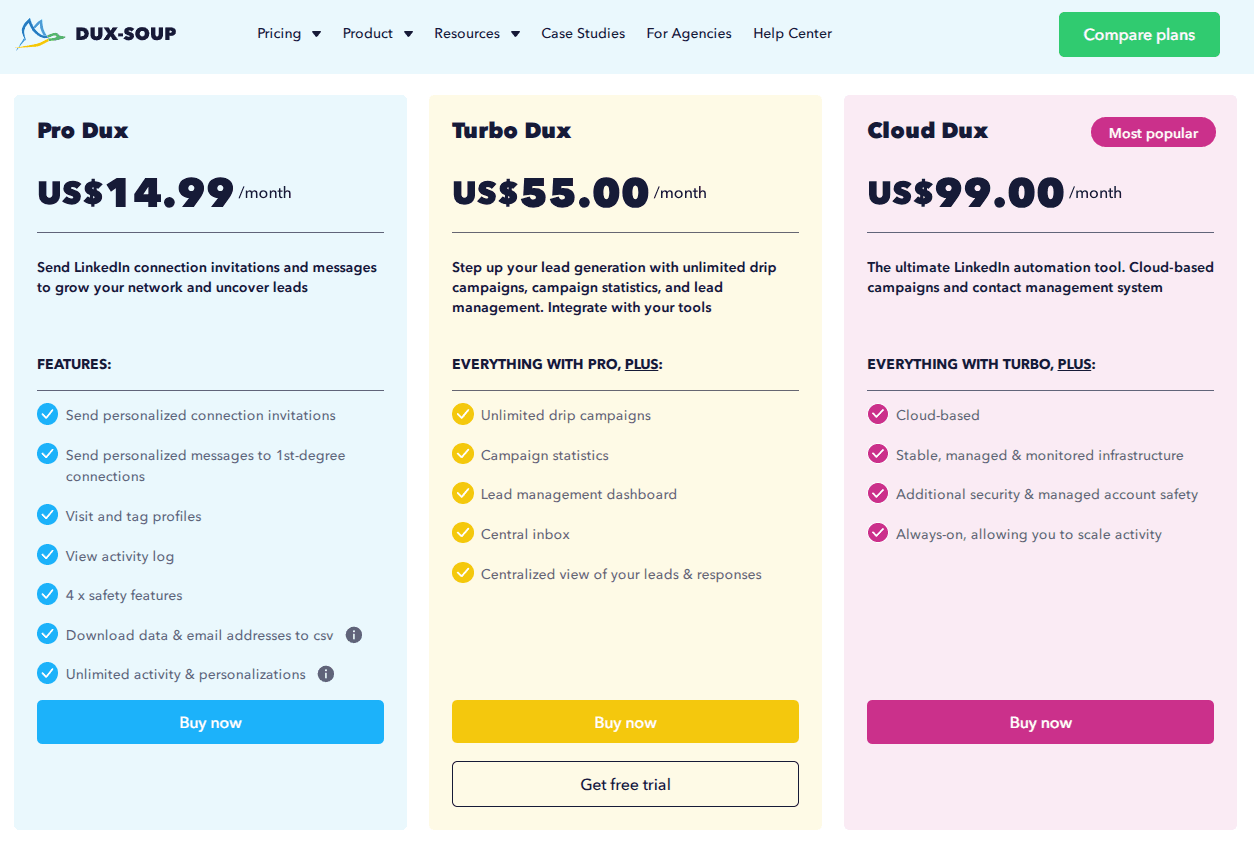
Dux-Soup pricing starts at $14.99/month.
Important tools like drip campaigns, campaign statistics, and a lead dashboard are not in the Pro plan. It means users must upgrade to Turbo or Cloud Dux for full functionality.
Each plan is priced per account, so managing multiple recruiter profiles or client accounts can quickly become expensive. There’s no clear team or agency discount mentioned.
Leonar
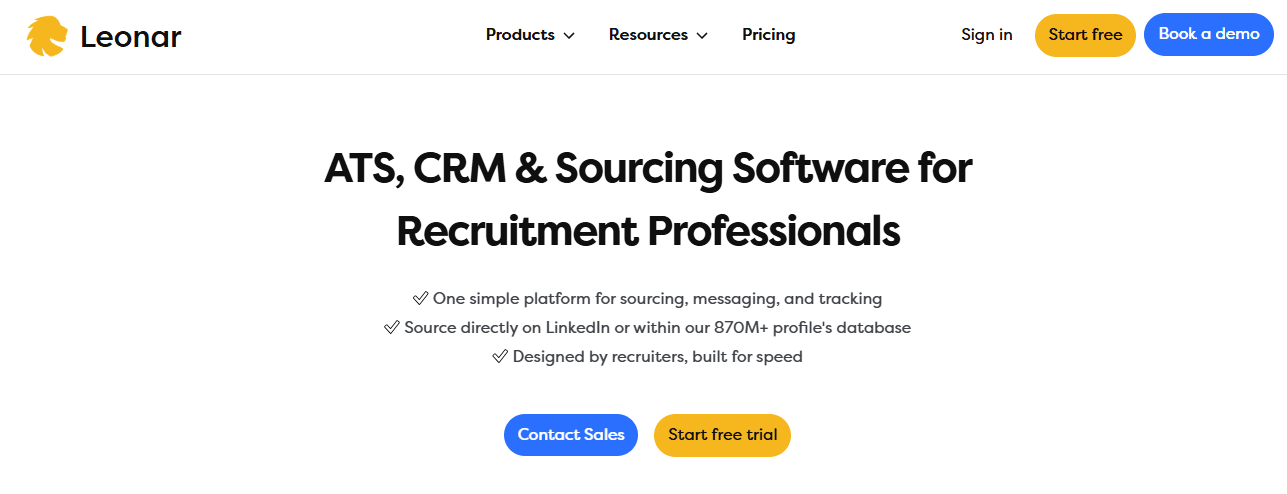
Leonar automates LinkedIn recruiting by combining data extraction, messaging and candidate tracking in one place.
You can connect your LinkedIn account through a simple Chrome extension and start managing outreach and communication without switching between platforms.
Leonar integrates with LinkedIn Recruiter, Sales Navigator and most Applicant Tracking Systems (ATS).
Once connected, you can collect candidate data, send automated messages and keep all conversations in one dashboard.
User reviews
Leonar scores 4.8 out of 5 stars on G2. Users like its outreach features, multichannel sequences, and overall automation capabilities.
Key features
- Data extraction from LinkedIn profiles (skills, experience, education)
- Automated outreach via LinkedIn messages and email
- Unified inbox for all candidate conversations
- Talent pool management with tagging and segmentation
- ATS integration for real-time candidate tracking
Pros
- Saves time with automated outreach
- Works across multiple communication channels
- Syncs easily with major ATS platforms
Cons
- Setup may take time for new users
- Advanced features require training
Pricing
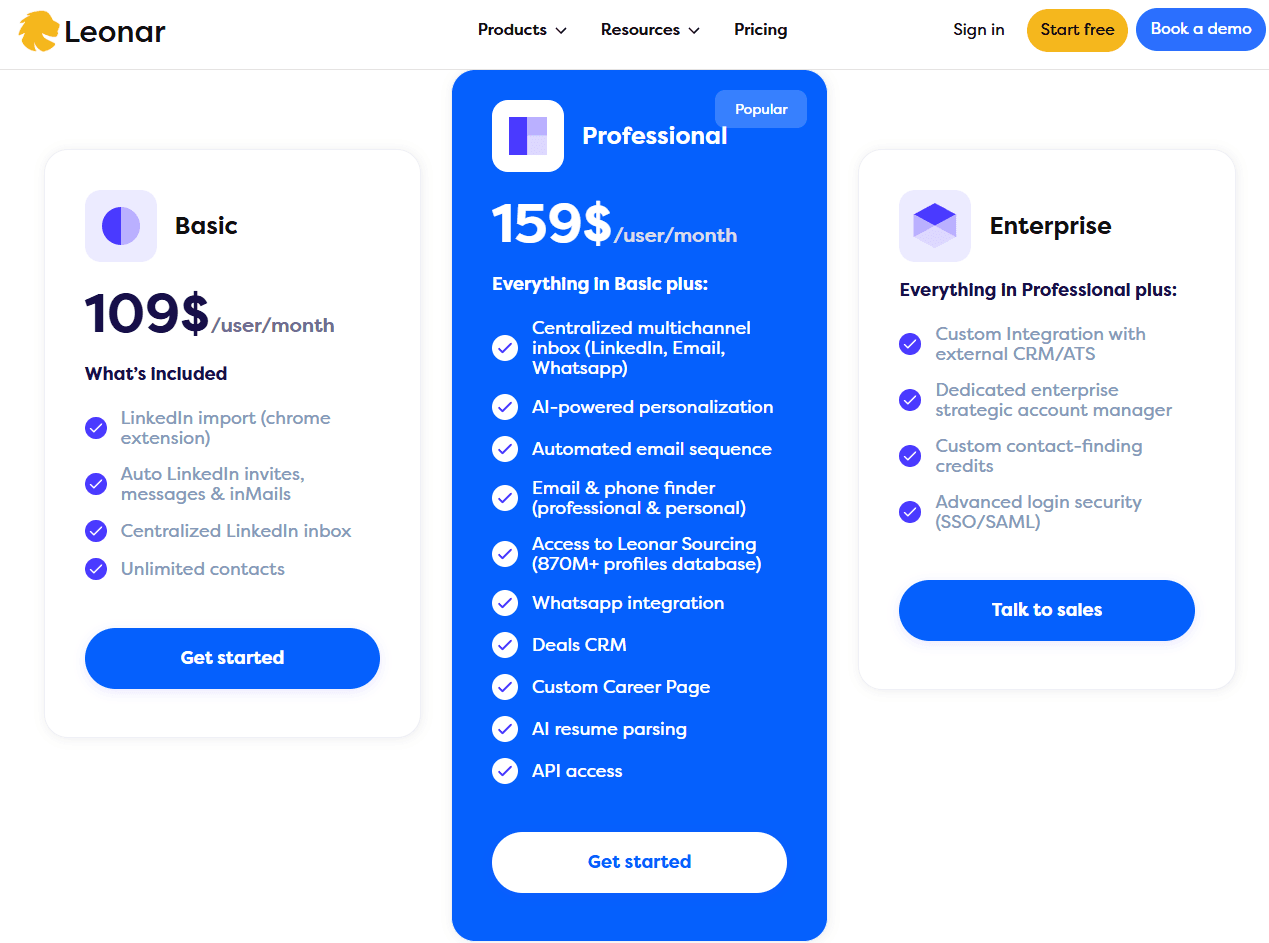
Leonar's Basic plan starts at 109$/user/month. For small teams or solo recruiters, this can be a big barrier to entry.
Pricing is listed per user, with no mention of discounts for multiple users or agencies managing several accounts. It makes scaling costly for recruitment teams.
Linked Helper
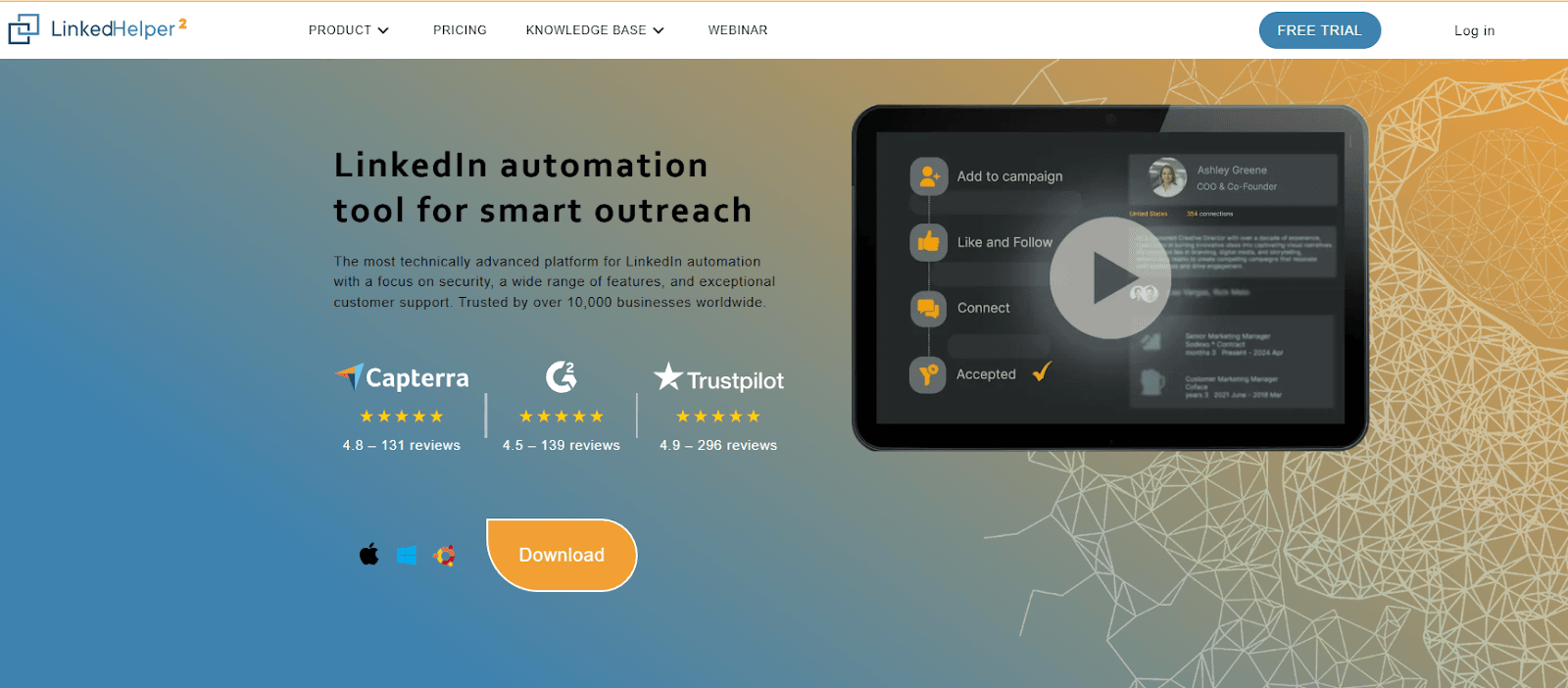
Linked Helper helps you automate your LinkedIn outreach while keeping your account safe. It runs as a separate desktop app, not a browser extension, which helps avoid detection and reduces risk.
You can connect, message and follow up with candidates or prospects automatically.
You can use Linked Helper on any LinkedIn plan, whether Basic, Premium, Sales Navigator or Recruiter.
The tool includes its own CRM, allowing you to track every contact and campaign without leaving the app.
User reviews
Linked Helper scores 4.6 out of 5 stars on G2. Users appreciate its reliability, safety, customized outreach sequences, tutorials, and email responsiveness from the support team.
Key features
- Automate connection requests and personalized messages
- Create message chains and drip campaigns
- Detect replies to stop automation when someone responds
- Manage contacts with the built-in CRM
- Scrape and export profile data to CSV
- Find emails for 2nd and 3rd degree connections
- Set daily action limits and working hours
- Integrate with CRMs like HubSpot, Salesforce and Zoho
Pros
- Works with all LinkedIn versions
- Built-in CRM and email finder
- 24/7 live support
Cons
- Desktop app (not a Chrome extension)
- Requires installation on your device
- Setup can take time for new users
Pricing

Linked Helper kicks off at $15 per month for basic automation. You can easily change your license whenever you want, so it suits recruiters juggling several profiles.
Keep in mind that the Standard plan restricts your daily message limit to 20 for LinkedIn group members and event attendees.
You can send up to 20 connection requests daily and add 20 likes or comments to posts and articles.
You also can't export the messaging history to CSV, and enrich data with emails for more than 620 profiles.
Expandi
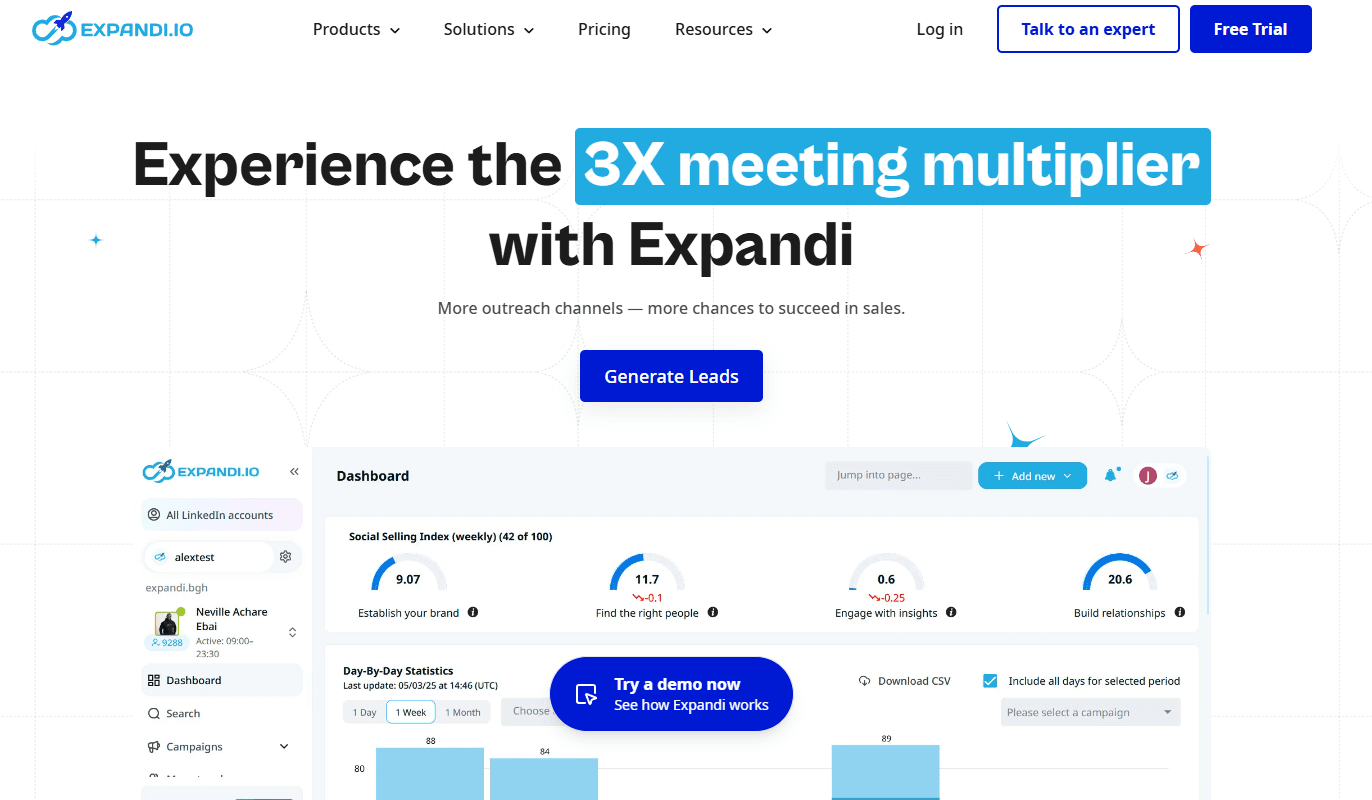
Expandi is a cloud-based LinkedIn automation tool built for recruiters who want to scale outreach safely.
It simulates human behavior by spacing actions and messages randomly, helping you engage candidates without triggering LinkedIn limits.
You can manage candidate searches, send personalized messages and track campaign performance from one dashboard without risking account restrictions.
User reviews
Expandi scores 4.2 out of 5 stars on G2. Users like the analytics dashboard for keeping tabs on performance and helping to up their messaging game. Some mention that setup can take a bit of time, but once it's all set up, it gets the job done.
Key features
- Smart automation that mimics real user activity
- Advanced candidate search beyond Recruiter Lite filters
- Built-in analytics for campaign and profile performance
- Personalized messaging with dynamic placeholders
- Cloud-based system that runs even when your computer is off
Pros
- Saves 6–10 hours per week on manual outreach
- Helps you reach high-quality candidates
- Easy to use with strong customer support
Cons
- Occasional safety delays may slow campaigns
- Fewer search filters than some advanced tools
- Higher learning curve for beginners
Pricing
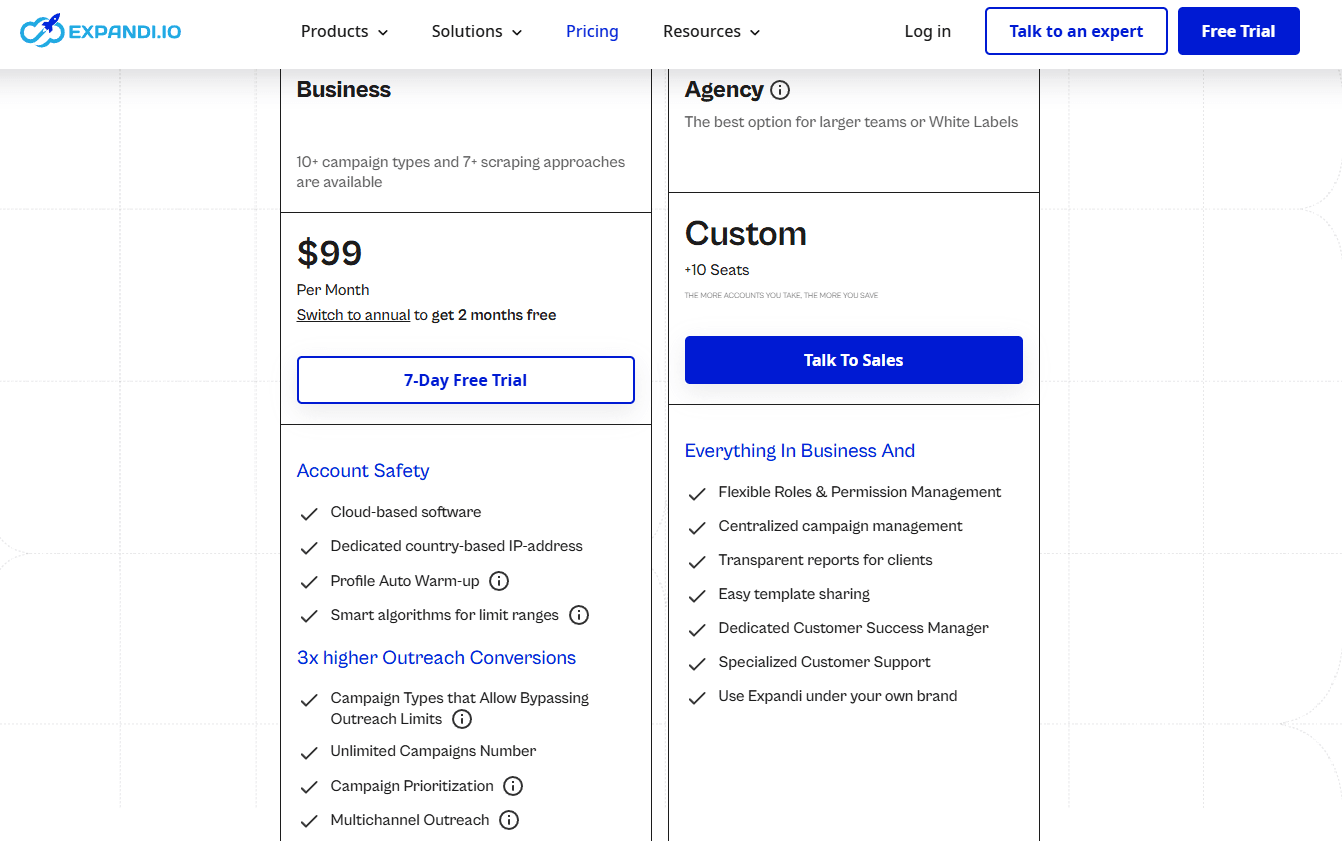
Expandi's pricing starts at $99 per month. The next step up is a custom plan for 10+ seats, which requires talking to sales. It leaves no middle option for small teams needing 2–5 accounts.
Expandi includes advanced options like GIF/video personalization and auto warm-up, which are great for large-scale lead generation, but may be unnecessary or overwhelming for recruiters managing a few outreach campaigns.
Why Botdog Is The Best LinkedIn Recruiter Automation Tool
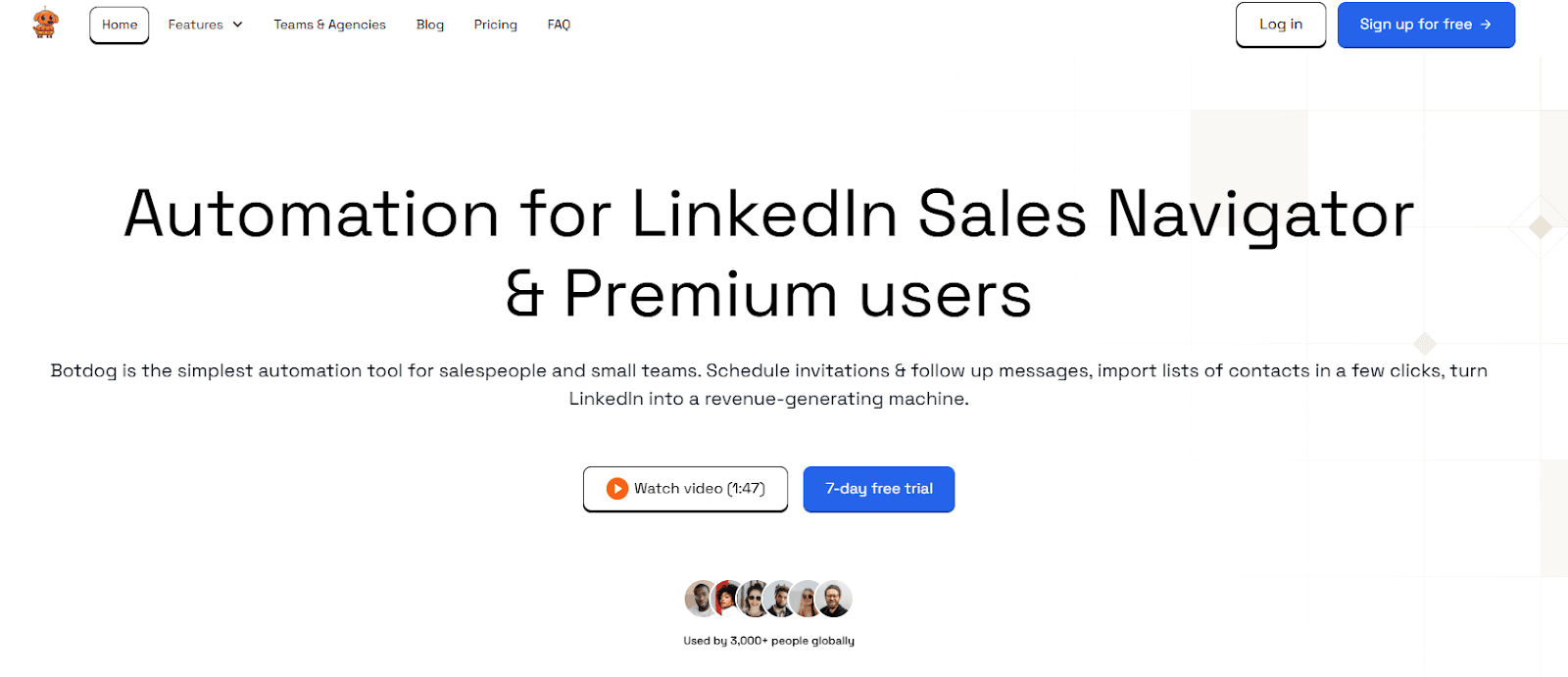
You want a tool that helps you connect with the right people fast and safely.
Botdog does that by automating invitations, messages and follow-ups while keeping your LinkedIn account secure.
Most users set it up in under three minutes and start growing their network right away.
Botdog’s key strengths:
| Feature | What It Does | Why It Matters |
|---|---|---|
| Cloud-Based | Runs 24/7 without browser extensions | Keeps your outreach active even when you’re offline |
| Safety Controls | Built-in limits and human-like timing | Protects your account from LinkedIn restrictions |
| AI Assistance | Reviews leads and personalizes messages | Helps you sound natural and relevant |
| Team Collaboration | Manage multiple accounts and inboxes | Ideal for recruiting teams and agencies |
| Affordable Plans | Lower cost than most competitors | Lets you scale outreach without overspending |
You can import leads from LinkedIn searches, Sales Navigator, Recruiter projects, or CSV files in just a few clicks. The system then sends connection requests and messages automatically, following up until you get a reply.
Recruiters use Botdog to add thousands of relevant professionals to their networks each year.
With its simple design, strong safety features and teamwork options, you can focus on conversations instead of manual tasks.
Botdog costs less than most LinkedIn Recruiter automation tools but delivers even better results. Most users notice that their investment pays off pretty fast with new connections and high-quality hires.
Start a free trial now.
How To Use LinkedIn Recruiter Automation Tools
Using LinkedIn Recruiter automation tools can make your hiring process more organized. Before you start, it’s important to set things up correctly and use the tools in a smart, responsible way.
Preparing your LinkedIn profile for automation success
Your LinkedIn profile represents your brand. Make sure it’s complete, professional and clear.
Use a friendly photo, write a short headline that shows your role, and include key details about your company.
It helps when automation tools send messages, as job seekers are more likely to reply to someone who looks trustworthy and active.
Setting realistic outreach goals
Start small when using automation. Set clear goals, like the number of connection requests or messages per week.
Don’t try to contact too many people at once; just focus on quality. Use advanced search filters to find the right people by skills, location or experience.
Setting goals helps track progress and avoid burnout.
Avoiding spammy practices that hurt your brand
Automation works best when used carefully. Avoid sending too many identical messages or irrelevant connection requests.
These look like spam and can harm your reputation.
Keep messages friendly and short. Always check that your outreach feels natural and personal.
Measuring And Optimizing Results
Once your automation is running, you need to measure what’s working and what isn’t.
Key metrics to track
Track how many people accept your requests, reply to your messages and move forward in the hiring process. Response rate, conversion rate and ROI show how effective your automation is.
High engagement means your approach is connecting with the best candidates.
A/B testing messaging sequences
Try diverse message versions to see what works better. For example, test two short introductions or different subject lines.
A/B testing helps improve your cold outreach strategy and keeps your messages fresh.
Adjusting strategies based on data
Use your results to make smart changes. If response rates are low, review your tone, timing or audience.
Regularly adjust your approach to stay aligned with your goals and reach more qualified candidates.
Best Practices For Candidate Outreach On LinkedIn
Making connections with LinkedIn automation is all about finding that sweet spot between using tools and being personal.
When sending connection requests, make sure to personalize them. Mention something specific about the person, like their job title or a recent win. Don’t be generic; adding a personal touch starts a real conversation.
If someone hasn’t replied to you in a few days, don’t wait. Follow up, keep it quick and to the point. You might want to mention something valuable, like a cool job opportunity that fits their experience.
And not everyone is ready to make a move right away. You need to nurture those long-term relationships by engaging with their posts or sharing useful content.
It develops trust and keeps them interested in future opportunities.
Common Mistakes To Avoid With Automation
Automation can be great, but misuse is easy if you’re not careful.
Sending too many automated messages without personalization feels robotic. Always review your templates and make sure they sound human.
LinkedIn has daily limits on connection requests and messaging. Breaking these will get your account restricted. Stay within safe limits and follow the rules.
If you don’t target the right audience, your messages will miss the mark. Segment your contacts by skills, industry or experience level.
It will ensure your outreach connects with the right people and helps you attract better candidates efficiently.
Conclusion About LinkedIn Recruiter Automation Tools
You can make your hiring process faster and LinkedIn tasks more organized with LinkedIn Recruiter automation tools.
Each tool is different. Some focus on data access and analysis and profile exports, others on automated messaging or multichannel outreach. Choose the right one for your workflow, team size, and budget.
If you’re looking for a simple, powerful, and affordable option, Botdog is one of the best solutions available.
It offers smart automation, personalized messaging, and team-friendly features, all designed to save time without losing the human touch.
Botdog runs safely in the background, so you can focus on building real relationships with top talent.
Start your free trial today and see how it can transform your LinkedIn recruiting workflow.
FAQs About LinkedIn Recruiter Automation Tools
What is the best automation tool for LinkedIn?
It depends on your goals and budget. Botdog, Expandi and Dux-Soup are top picks for recruiters who want easy setup and safe automation.
Each tool helps you manage outreach, follow-ups and candidate tracking without manual work. Compare features and compliance before you choose.
Does LinkedIn allow automation tools?
LinkedIn does not officially allow third-party automation that mimics human actions. Tools that break their User Agreement risk account restrictions.
However, some tools follow safety limits, use cloud-based systems and respect daily activity caps to minimize risk. Always review compliance settings before using any automation platform.
What is the LinkedIn Recruiter tool?
LinkedIn Recruiter is LinkedIn’s own hiring platform. You can search candidates, send InMails and manage pipelines in one dashboard. You can filter by skills, location or experience.
Automation tools often integrate with it to speed up outreach and data entry, but you must follow LinkedIn’s usage policies.
How does LinkedIn detect automation tools?
LinkedIn detects bots through activity patterns, browser behavior and login frequency. For example, sending hundreds of messages in minutes triggers alerts.
Using cloud-based or human-like tools helps lower detection risk. Mixing manual actions can make your account appear more natural.
Read our LinkedIn FAQs to learn more.