May 11, 2026
Invite Your Whole Team To Join You On Botdog in One Go
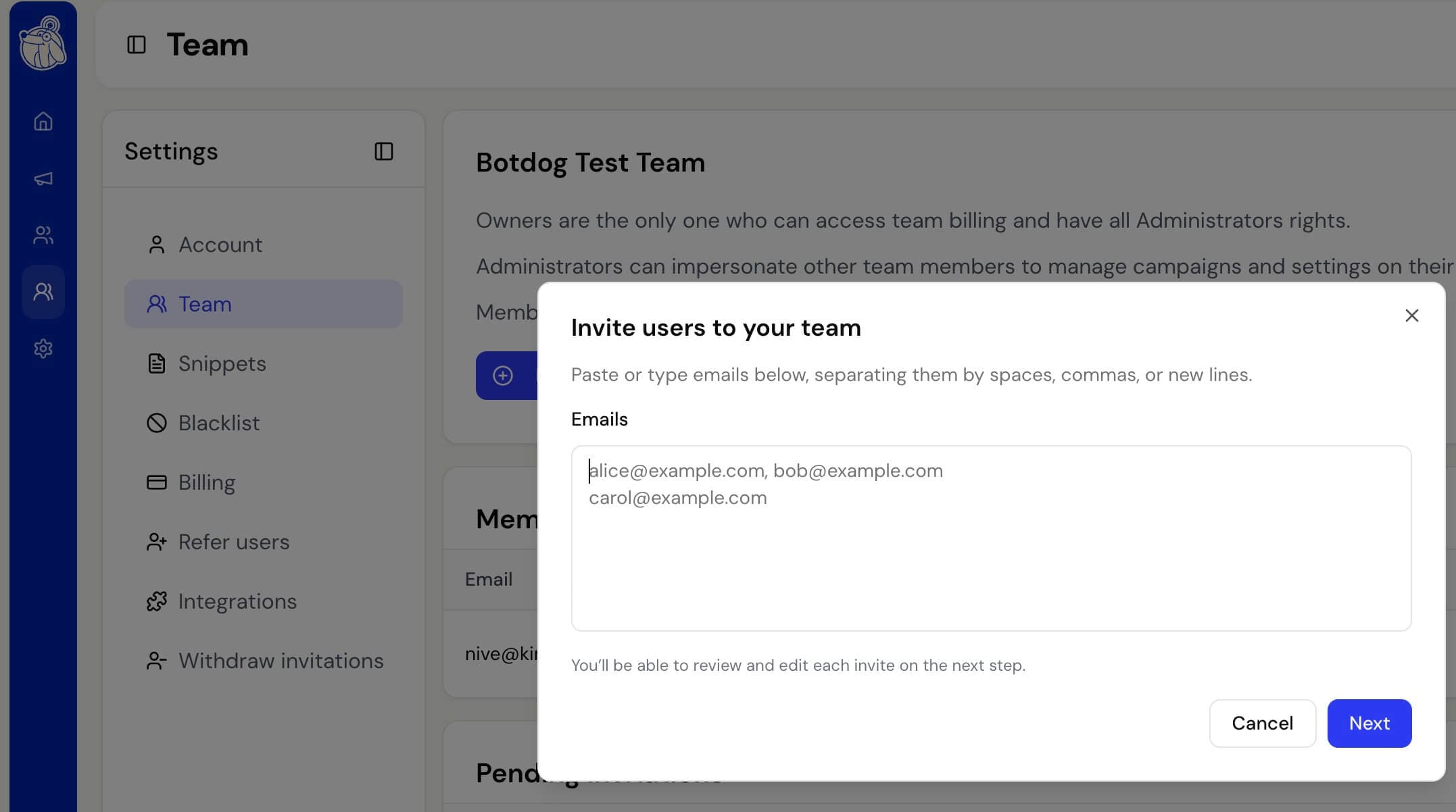
Onboarding several teammates in a row used to mean submitting the same form over and over. That’s no longer the case. The team invite modal in Settings → Team now takes your whole list in one go.
Here’s how it works:
- Paste your list: drop a list of emails into a single text area, separated by commas, spaces, or new lines. Straight from a spreadsheet, a Slack thread, wherever you have them. BotDog removes duplicates automatically and shows you a live count as you paste.
- Review before you send: the next step shows one row per invite with a role picker, so you can fix a typo, swap someone’s role, or remove a person before anything goes out. Invalid addresses are flagged here too.
- Seats handled for you: if you’re inviting more people than you have seats for, the button switches to “Next — buy N seats” and takes you straight to the seat purchase page with the right number pre-filled. Or, if you don’t have an active subscription yet, the modal now routes you to the plan picker. No more bouncing between billing and team settings.
- Clear feedback on every invite: you’ll see a confirmation for everyone invited successfully, and a specific message for anyone who didn’t go through (already on your team, already invited, etc.).
And just so you know, inviting one person still works exactly the same. Paste one email, hit Next, and then hit Send.

