Choosing between Botdog and Expandi for LinkedIn automation? This comparison breaks down everything you need to know about features, pricing, safety, and which tool fits your specific needs.
Both platforms automate LinkedIn outreach, but they approach automation from completely different angles. Botdog focuses exclusively on LinkedIn with safety-first simplicity, while Expandi offers multichannel automation with more aggressive features.
Here's what makes each platform unique and which one is right for your team.
TLDR:
Botdog: LinkedIn-only automation built for safety and simplicity. Setup takes 3 minutes, pricing starts at $48/month annually ($69/month), and every feature prioritizes staying within LinkedIn's rules. Best for salespeople, founders, and recruiters who want predictable, low-risk LinkedIn growth.
Expandi: Multichannel automation platform (LinkedIn + email) with advanced workflow capabilities. Pricing starts at $79/month annually ($99/month). Best for agencies and SDR teams running sophisticated, multi-channel campaigns that can manage higher technical complexity.
What is Botdog?
Botdog is a LinkedIn automation tool designed specifically for salespeople and teams that want to grow on LinkedIn without the complexity, risk, or cost of enterprise platforms. Botdog’s core philosophy centers on doing one thing exceptionally well rather than trying to automate every channel imaginable.
Built by a team who were frustrated with overcomplicated tools that got users banned, Botdog prioritizes safety-first automation that mimics human behavior patterns. Instead of spreading efforts across multiple channels, Botdog maintains a strict LinkedIn-only focus to eliminate multichannel confusion. The platform was designed for speed and ease, with most users completing their setup in just 3 minutes. There are no hidden add-ons or upsells - what you see in the pricing is exactly what you get.

What is Expandi?
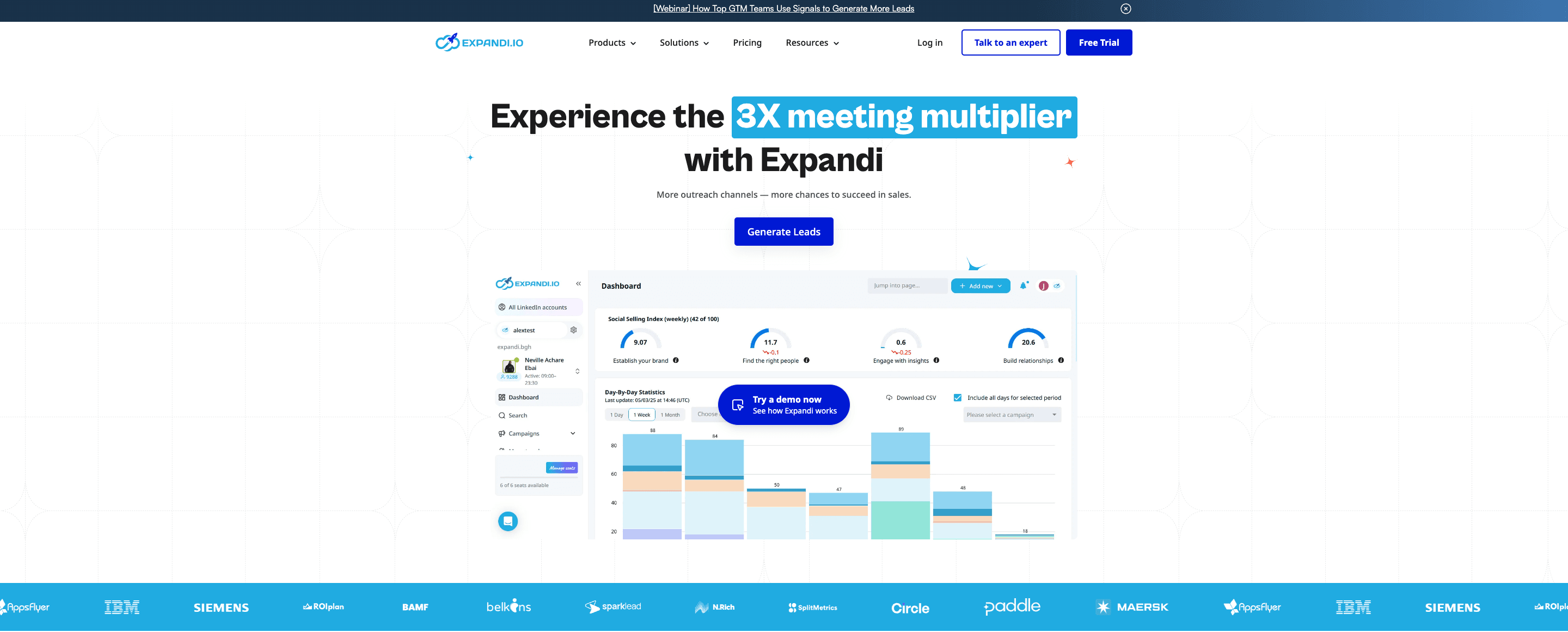
Expandi positions itself as a multichannel outbound automation platform that combines LinkedIn outreach, email sequences, and advanced workflow automation. Launched in 2019, Expandi has built a reputation among agencies and enterprise sales teams as a power tool for sophisticated campaigns.
The platform targets users who need more than just LinkedIn automation. Expandi combines LinkedIn and email into unified campaigns, allowing for complex cross-channel sequences. The tool offers advanced personalization capabilities, including image, GIF, and video elements, though these require additional subscriptions. Expandi's complex workflow builder enables sophisticated branching logic and conditional sequences that can adapt to prospect behavior across multiple touchpoints. API integrations allow teams to connect Expandi with their existing tech stack for seamless data flow.
Expandi markets itself specifically to serious outbound teams willing to invest significant time in setup and configuration. The learning curve is steeper than simpler tools, but the payoff comes in the form of more sophisticated campaign capabilities once mastered.
Feature Comparison: Botdog vs Expandi
Campaign Builder
Botdog Campaign Builder
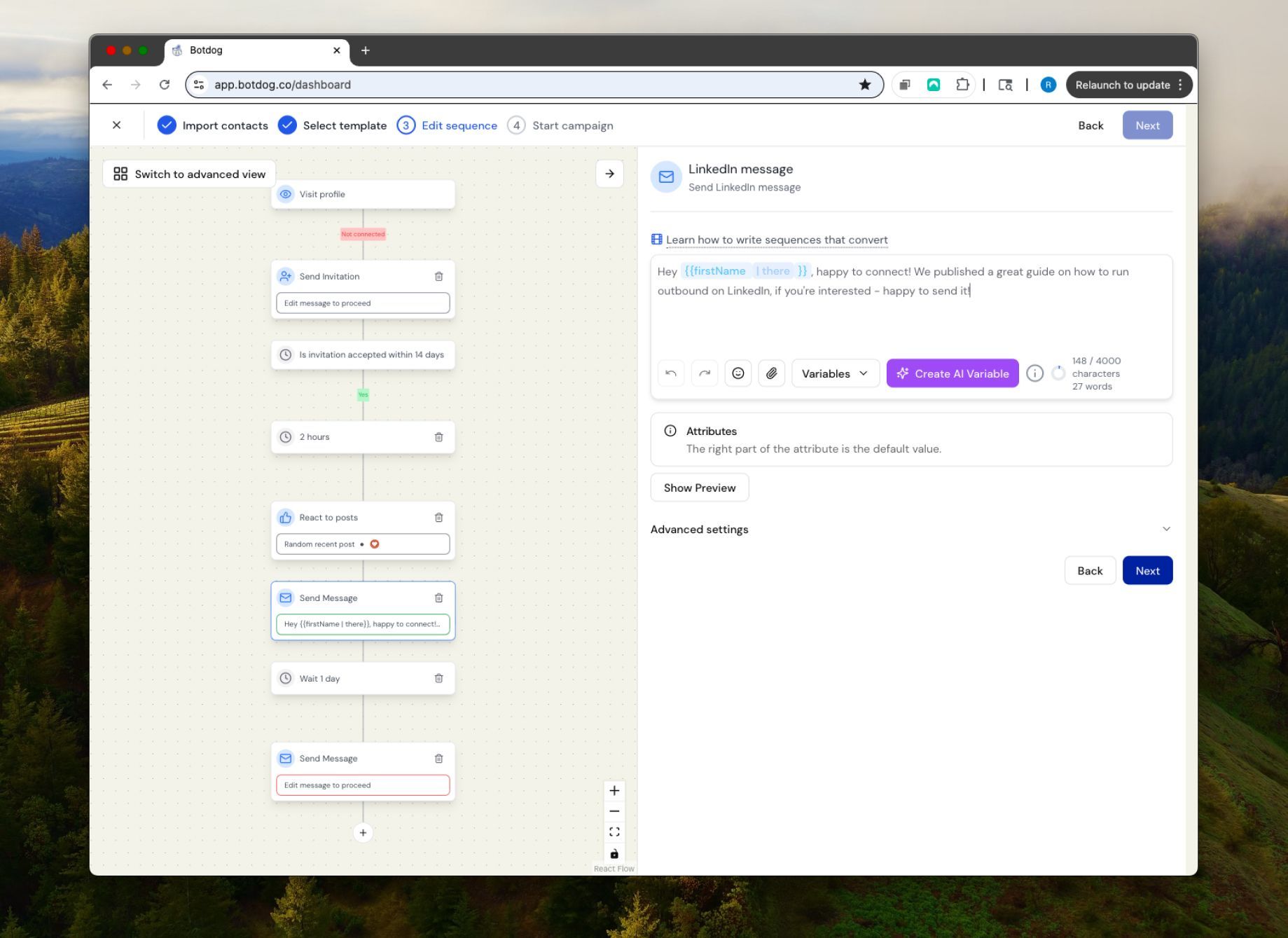
Botdog's campaign builder was designed with one goal: to get users from idea to launch in minutes, not hours. The interface focuses on fast setup and intuitive workflows that don't require extensive training or technical knowledge.
You can create both linear sequences and branching campaigns based on prospect actions. The system automatically triggers follow-ups when someone accepts your connection request or replies to your message. Before launching any campaign, you can preview the complete sequence visually to catch any issues. Perhaps most importantly, Botdog includes built-in safety guardrails that actively prevent risky configurations that could trigger LinkedIn's detection systems.
The design intentionally avoids clutter and complexity. Every feature serves LinkedIn automation specifically, with no external dependencies or unclear add-ons to figure out. Most users report completing their first campaign setup in under 3 minutes, including list import and message customization.
Expandi Campaign Builder
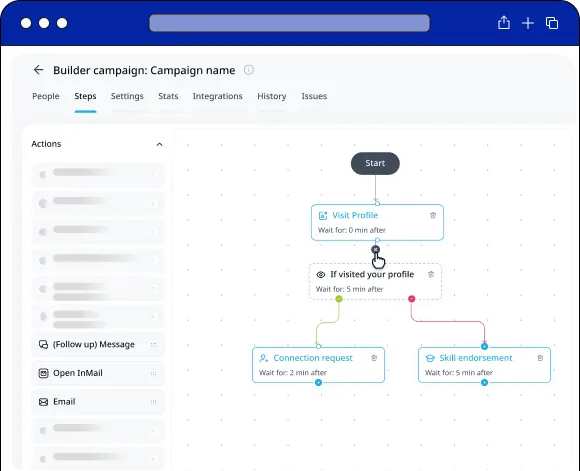
Expandi takes a different approach with its hub-and-spoke multichannel system. The platform combines LinkedIn connection requests and messages with email sequences in the same campaigns. You can build conditional logic and branching workflows that respond differently based on prospect behavior across channels. Webhook triggers enable external integrations that fire based on campaign events. For email deliverability, Expandi includes CNAME domain configuration options.
This creates genuinely powerful capabilities for teams that need sophisticated multichannel automation. However, that power comes with significant complexity. Most users report spending 2+ hours on initial campaign setup as they learn the workflow builder interface, configure their integrations correctly, and test their sequences across channels. The learning curve is real, though many agency teams consider it worthwhile once they've mastered the system.
Winner: Botdog wins for simplicity and speed to launch. Expandi wins for multichannel sophistication if you're willing to invest the time.
LinkedIn Outreach Automation
Botdog LinkedIn Automation
Botdog automates the core LinkedIn outreach actions that sales teams actually use daily. You can send connection requests either with personalized notes or without messages, depending on your strategy and acceptance rate data. The system automatically sends follow-up messages after prospects accept your connection requests, keeping the conversation moving without manual intervention. For prospects who don't accept connection requests, Botdog can run InMail campaigns to reach them through LinkedIn's messaging system. The auto-withdraw feature removes pending requests after your chosen timeframe, preventing the accumulation of dead invitations.
All campaign sequences adapt based on prospect behavior, taking different paths depending on whether someone accepts, ignores, or responds to your outreach. Everything stays strictly within LinkedIn's native interface patterns, carefully mimicking how real users interact with the platform throughout their day. This behavioral mimicry is what keeps Botdog users safe from LinkedIn's detection systems.
Expandi LinkedIn Automation
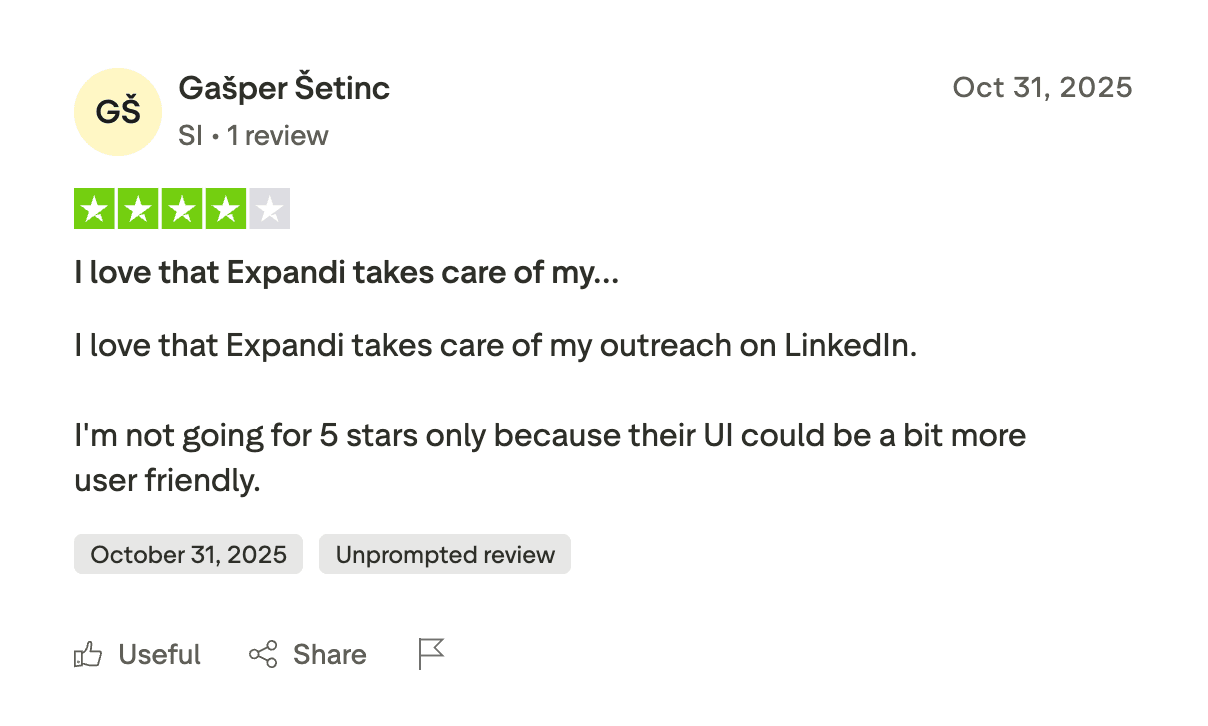
Expandi provides similar LinkedIn automation capabilities but adds several features designed to push boundaries. Their advanced conditional logic enables complex sequences that would be difficult to build manually. Integration with external data enrichment tools allows for sophisticated prospect research within campaigns. The Builder campaign type offers the most flexibility, combining multiple action types with sophisticated branching logic.
Expandi’s core LinkedIn automation works well for standard connection requests and follow-up sequences, though the setup complexity is notably higher than Botdog's streamlined approach.
AI Features
Botdog Professional + AI ($45/month annually, $99/month)
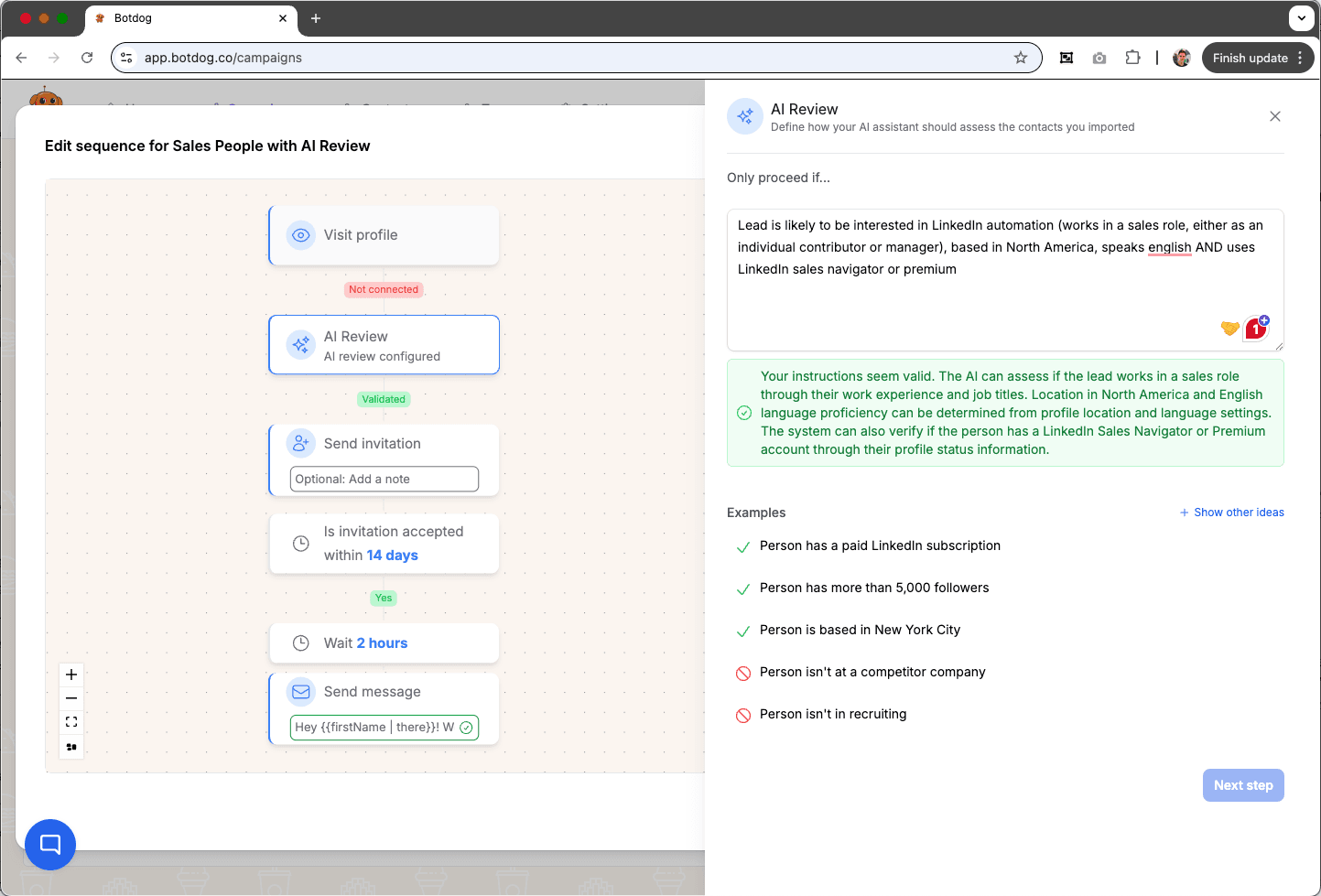
Botdog's AI tier focuses on qualification and efficiency. The AI Filters automatically qualify prospects before they enter your campaigns, evaluating criteria like profile completeness, recent LinkedIn activity, and relevance scoring based on your ideal customer profile. This prevents wasted outreach to low-quality prospects who wouldn't convert anyway.
The AI Canned Replies feature generates contextual responses to common prospect questions and objections. Rather than starting from a blank page when someone asks about pricing or implementation, you can instantly pull up AI-generated responses that match the context of the conversation. AI Message Snippets work similarly, providing quick-insert personalized message components based on the prospect data you've imported.
Botdog's AI philosophy centers on helping you identify the best prospects and respond faster without sacrificing personalization quality. The AI features integrate directly into your workflow with no additional subscriptions, credit systems, or complexity to manage. You simply turn on the features you want, and they start working immediately.
Expandi AI Analyzer (included in Business plan - $79/month annually, $99/month)
Expandi's AI Analyzer is included in their standard Business plan at no additional cost. Its capabilities are comprehensive and cover the entire campaign lifecycle from creation through response management.
Expandi’s AI Campaign Assistant guides you through three questions about your audience, value proposition, and campaign goal, then recommends tailored campaign templates based on your answers. This eliminates the blank-page problem when starting new campaigns and leverages proven templates from successful campaigns. Instead of guessing which sequence structure might work, you get AI-recommended starting points based on your specific objectives.
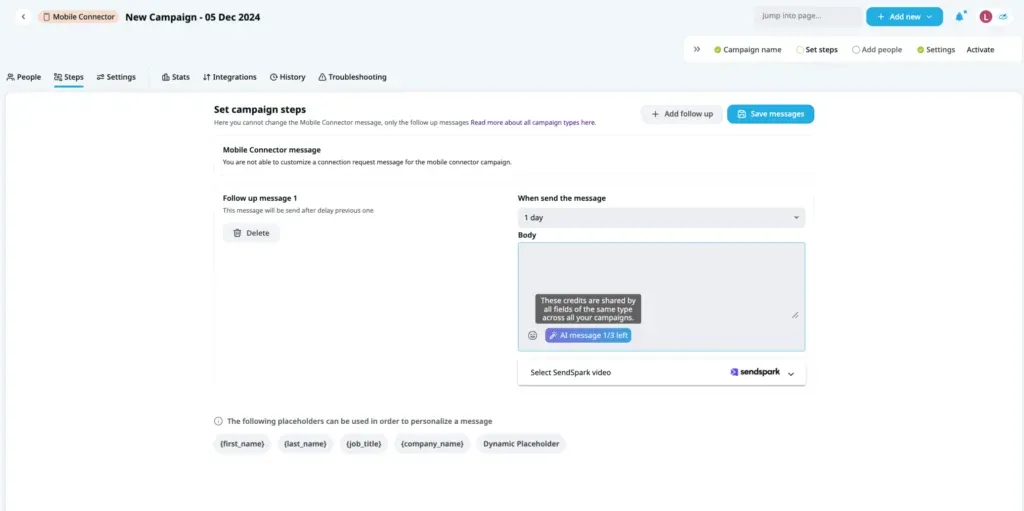
The AI Message Generator creates connection requests and follow-ups using a credit system. Each Expandi account receives 15 daily credits shared across all active campaigns, with each generated message consuming one credit. Credits replenish daily but don't roll over, so unused credits disappear. This means on days when you need to generate more content, you may hit your limit and need to wait until the next day. However, for most users managing a handful of campaigns, 15 credits daily provides sufficient capacity.
Sentiment Analysis automatically categorizes lead responses as "Interested," "Maybe Interested," or "Not Interested" based on the language they use. This saves time otherwise spent manually reviewing conversations to determine which leads deserve immediate attention. The system analyzes reply text and assigns sentiment scores, helping you prioritize your inbox efficiently. You can enable sentiment analysis on one campaign at a time, focusing on your highest-priority outreach.
The AI-Generated Replies feature crafts responses based on lead questions, using 20 credits per campaign to generate contextual replies to prospect objections or questions. When a prospect asks about implementation timelines or expresses concerns about ROI, the AI can draft appropriate responses based on the conversation context. While you should review and customize these suggestions, they provide strong starting points that save significant time.
Expandi's AI is significantly more comprehensive for campaign creation and response management, particularly valuable for teams managing multiple campaigns simultaneously across different prospect segments. The fact that all these AI features are included in the base Business plan rather than requiring an upgrade makes it compelling from a value perspective. However, the credit system requires monitoring and can become limiting during high-activity periods.
Personalization
Botdog Personalization
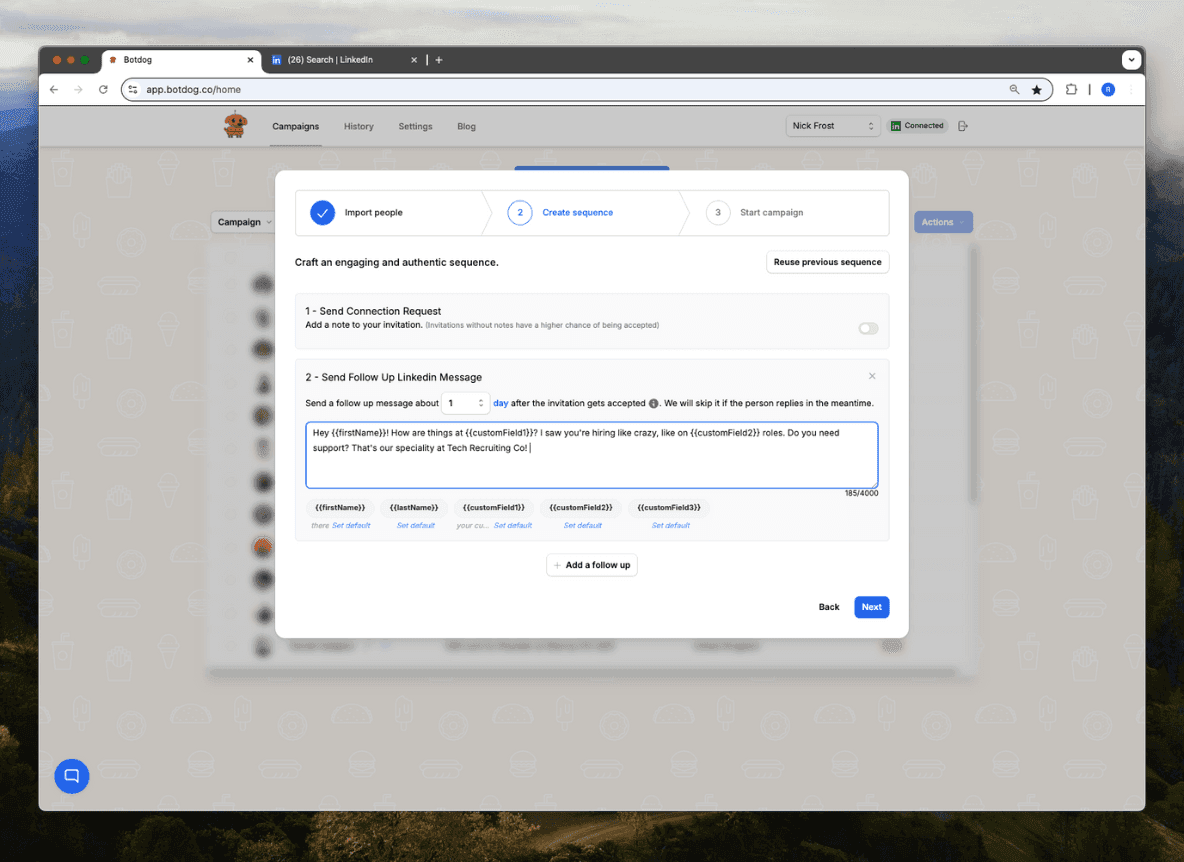
Botdog approaches personalization by focusing on what actually works in LinkedIn conversations without gimmicky features that prospects ignore. The system uses field-based variables like name, company, job title, and location to customize messages naturally. Dynamic content blocks change based on prospect attributes you've imported, allowing different messaging for different segments within the same campaign.
CSV import supports custom personalization fields beyond the standard LinkedIn data. If you've enriched your prospect list with information from other sources, you can reference those fields in your Botdog messages. The template library provides starting points for different industries and use cases, which you can customize for your specific situation. For Professional + AI tier users, AI-assisted message writing suggests personalization approaches based on the prospect data available.
Expandi Personalization
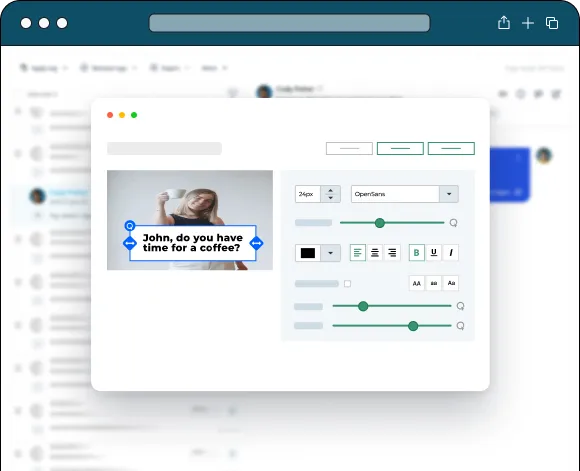
Expandi heavily markets advanced personalization features, including image personalization with prospect data overlays, GIF personalization for dynamic content, and video personalization with custom elements. The platform also supports text variable insertion across all channels and integrates with Hyperise and Sendspark for visual personalization capabilities.
One thing to note is that image, GIF, and video personalization are NOT included in your Expandi subscription. To actually use these features that Expandi promotes prominently in their marketing materials, you must separately subscribe to Hyperise and Sendspark. Sendspark pricing starts at $49/month while Hyperise pricing starts at $69/month - on top of Expandi's $99/month cost.
This means the "advanced personalization" that draws many users to Expandi actually costs $197/month minimum when you add both subscriptions together. Expandi doesn't clearly disclose this split on their pricing page, which may lead to confusion and unexpected costs during onboarding.
For text-based personalization, Expandi works well across both LinkedIn and email channels. The platform supports dynamic variables for pulling prospect data into messages across your sequences.
Auto-Withdraw Features
Botdog Auto-Withdraw
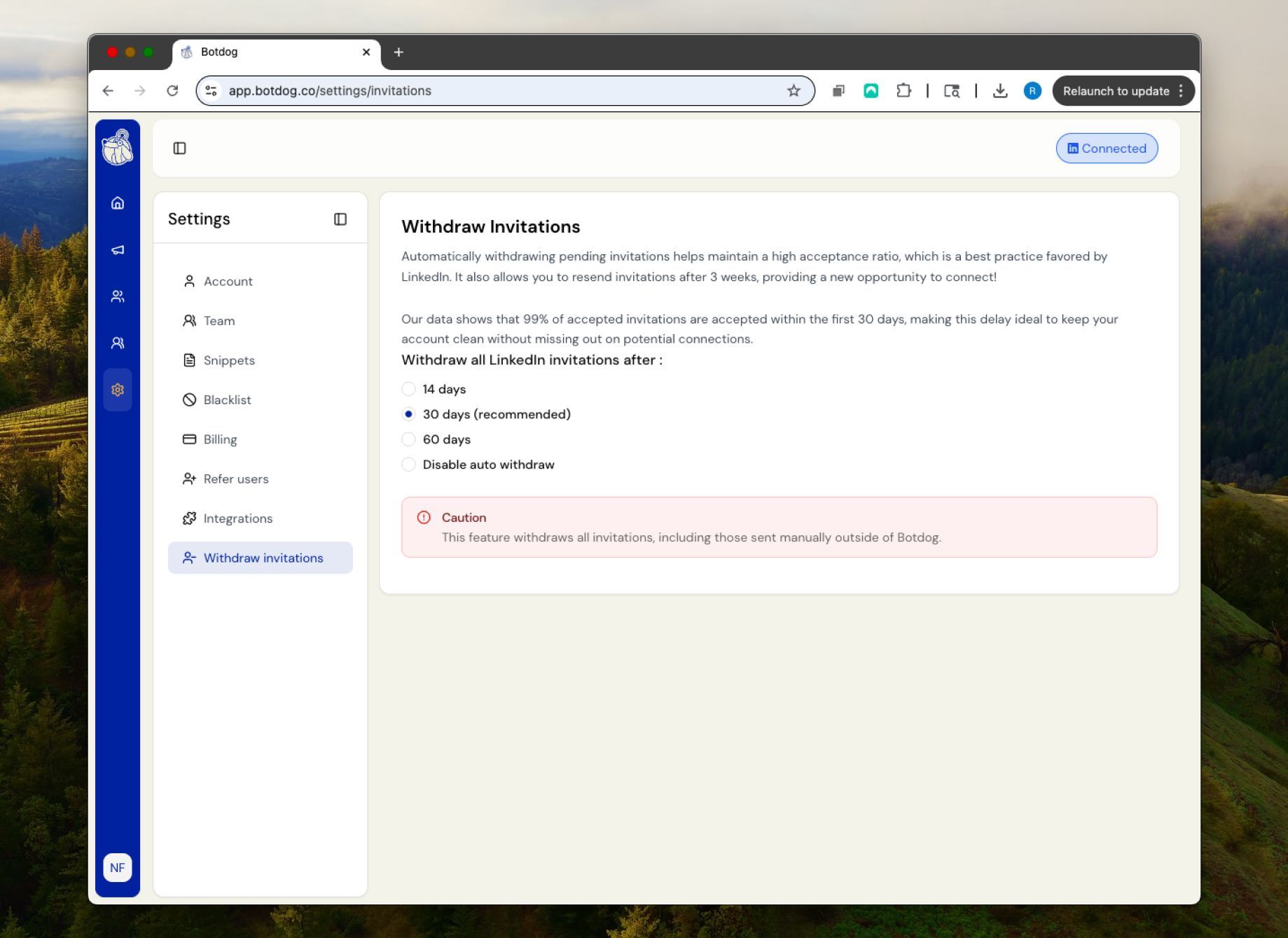
Auto-withdraw is treated as a core safety feature in Botdog's architecture. The system automatically withdraws pending connection requests after your chosen timeframe, preventing the accumulation of hundreds or thousands of dead invitations that hurt your acceptance rates.
You can customize the withdrawal timing based on your strategy. Some users set a 14-day withdrawal for aggressive prospecting, while others prefer 30 or 60 days to give prospects more time to respond.
Botdog positions this as essential account protection. Pending invitations accumulate quickly when running multiple campaigns, and most users don't manually check their pending invitation count. Botdog's automatic approach prevents any issues without requiring monitoring or manual action.
Expandi Auto-Withdraw
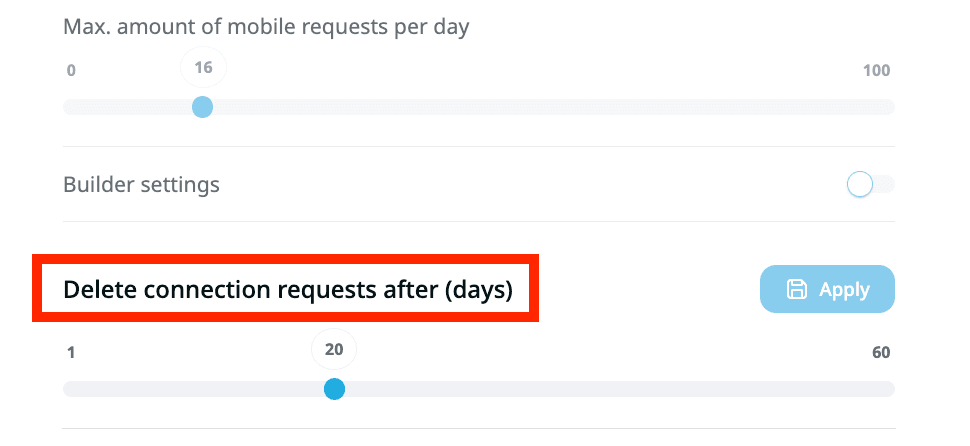
Expandi includes auto-withdraw functionality but structures it differently. The feature requires per-campaign configuration, making it easier to overlook when launching new campaigns. You must manually set up auto-withdraw for each campaign you create.
The feature works effectively once configured, but it's positioned more as a campaign optimization tool than a safety mechanism. Users managing multiple campaigns must remember to configure auto-withdraw separately for each one, creating more opportunities for oversight.
The auto-withdraw settings live within each campaign's configuration rather than being a global account-level safety feature. This gives you more granular control if you want different withdrawal timing for different campaign types, but it also means more manual management and a higher risk of misconfiguration.
Limits & Safety Controls
Botdog Limits
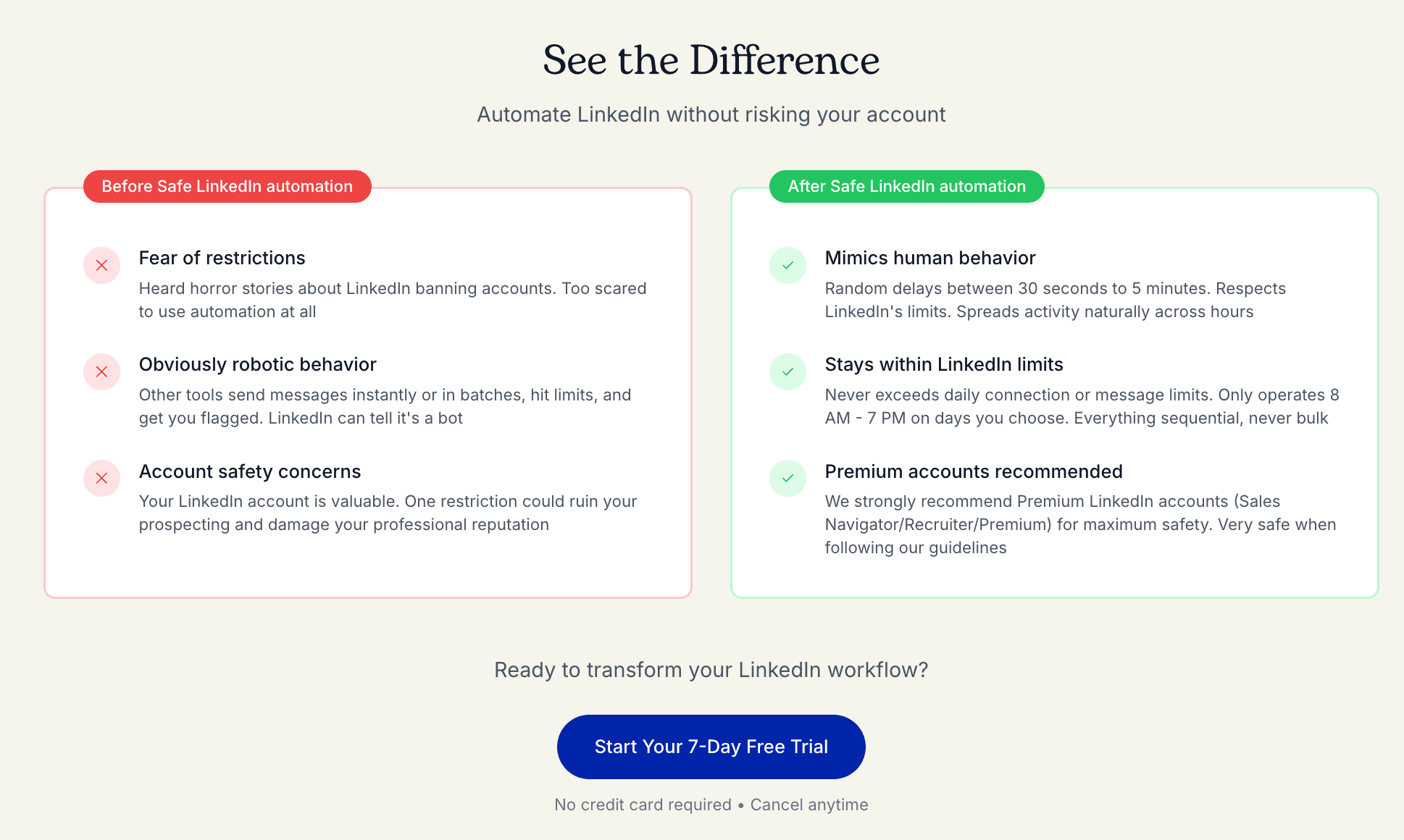
Botdog enforces strict, transparent limits designed to keep your account safe regardless of how aggressively you try to configure your campaigns. The system stays firmly within LinkedIn's 150-200 weekly connection request limit for Premium and Sales Navigator accounts. All activity is distributed smartly throughout the week to avoid concentration that might trigger detection. Timing is randomized to mimic human patterns rather than sending requests at exactly 9:00 AM every day like a robot.
Hard-coded safety rails actively prevent you from configuring risky behavior. Even if you try to set higher limits, Botdog won't allow it. There are no features designed to push LinkedIn's boundaries or test compliance limits. The system distributes your activity across business hours in patterns that match how real users interact with LinkedIn throughout their day.
You literally cannot accidentally configure Botdog to violate LinkedIn's terms of service. The safety limits are built into the platform architecture rather than being optional settings you might forget to enable. This removes the compliance burden from users and makes it impossible to misconfigure campaigns in ways that might trigger LinkedIn's detection systems.
Expandi Limits
Expandi takes a different philosophical approach by giving users manual control over their limits. The platform's most controversial feature is the Mobile Connector campaign, which creates confusion through contradictory messaging about compliance.
Expandi's help documentation states that "the Mobile Connector campaign no longer bypasses LinkedIn's weekly connection request limit" while simultaneously claiming it "allows you to send between 50 and 100 extra connection requests per week." These statements directly contradict each other. Either you're getting extra requests beyond LinkedIn's official limits (which is definitionally bypassing), or you're staying within standard limits (which means no extra requests).
The confusion deepens when you look at Expandi's historical marketing. Their blog posts from 2023 explicitly promoted Mobile Connector as a way to "safely bypass the standard LinkedIn connection request limits" and "exceed the standard 100 connection requests per week limit." Their 2025 documentation walks back some of this language, but the core claim remains unchanged: the feature provides additional requests.
This creates several practical problems for users. First, the contradictory messaging makes it impossible to know whether you're actually violating LinkedIn's terms of service. You're either using a bypass feature (risky) or you're not getting extra requests (so why use Mobile Connector?). Second, if you reach LinkedIn's weekly connection request limit through regular campaigns, Expandi blocks you from using Mobile Connector for two full weeks as a penalty imposed by LinkedIn. This suggests LinkedIn views Mobile Connector activity as distinct from - and additive to - your standard request limits.
The feature requires 2-factor authentication setup and sends connection requests simulating mobile app behavior. Whether this actually bypasses LinkedIn's limits or not remains unclear. What is clear is that the confusion around compliance creates unnecessary risk and uncertainty for users who simply want to know they're operating within LinkedIn's acceptable use policies.
Beyond Mobile Connector, Expandi gives users complete manual configuration control over all daily and weekly limits. You set your own connection request volumes, message limits, and activity thresholds. This creates more flexibility for power users who want to maximize their output and are comfortable managing compliance risks themselves. However, it also creates more risk since you're entirely responsible for understanding LinkedIn's evolving limits and staying within them. If you misconfigure your campaigns or don't fully understand the restrictions, you can easily trigger LinkedIn's detection systems and face account warnings or restrictions.
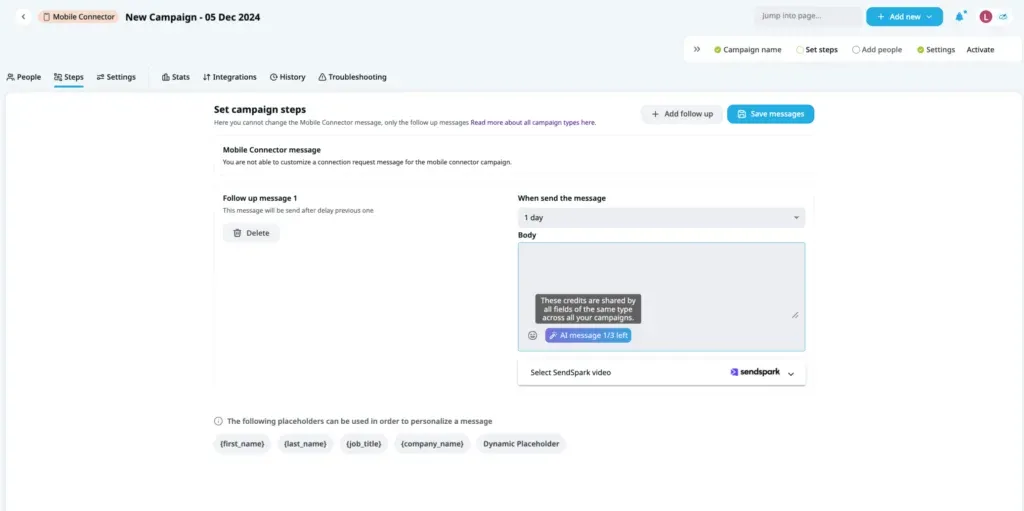
Winner: Botdog wins decisively for safety, transparency, and peace of mind. The hard-coded limits remove compliance uncertainty and make it impossible to accidentally violate LinkedIn's terms. Expandi offers confusing limit-pushing features with contradictory messaging that creates unnecessary risk for users who value account safety over maximum volume.
Team Features & Multi-Account Management
Botdog Team Features
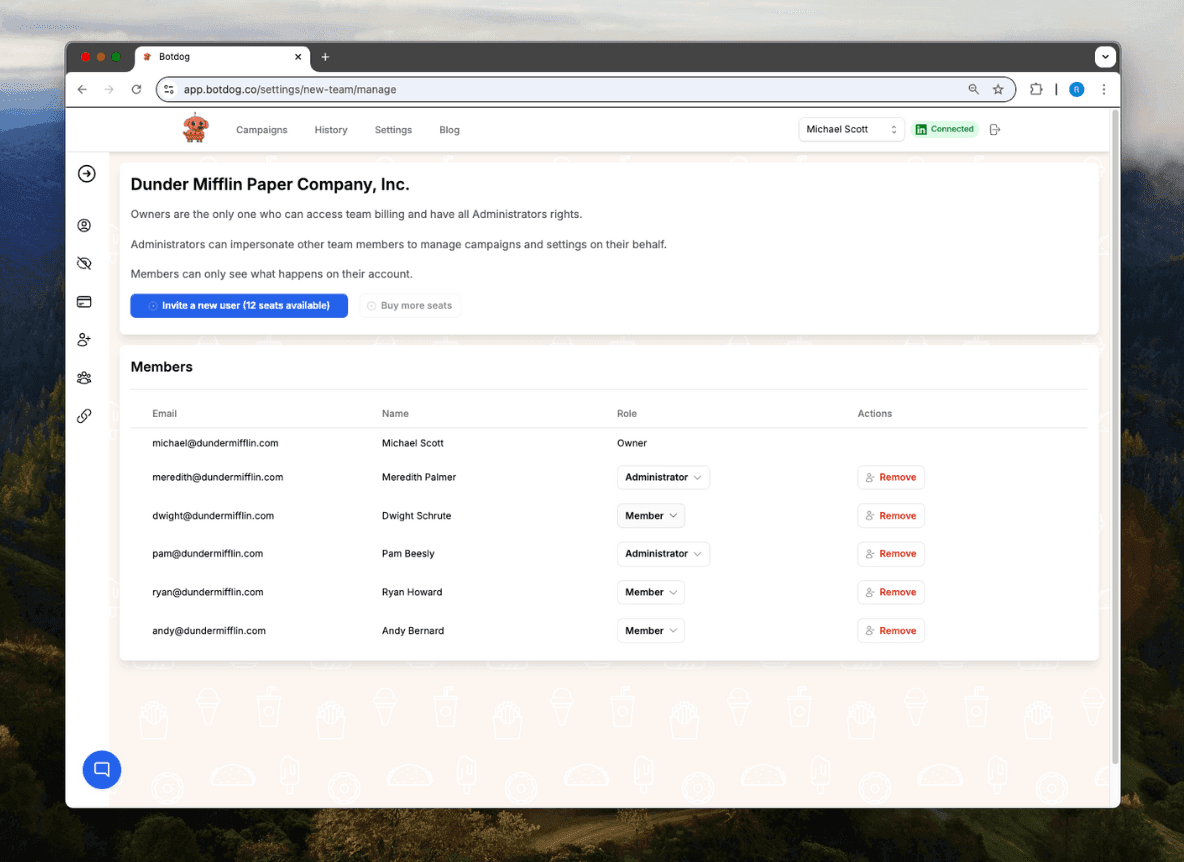
Botdog's team management includes several features that make collaboration simple.
The centralized campaign management lets team members view and manage campaigns across all accounts from one dashboard. Shared templates and message libraries ensure consistency across your team's outreach. When someone creates a high-performing message template, everyone can use it immediately without manually copying content between accounts.
Team performance analytics show how different team members' campaigns are performing, making it easy to identify best practices and coach lower performers. Role-based permissions control who can edit campaigns, access analytics, or manage billing, preventing accidental changes by junior team members.
Account switching works without logging out, so team members managing multiple LinkedIn accounts can switch between them instantly. This is particularly valuable for agencies or consultants managing client accounts alongside their own.
Expandi Team Features
Expandi's Agency plan, required for managing 10 or more accounts, provides robust team collaboration tools. The multi-account dashboard gives a centralized view across all client accounts, letting you monitor performance without switching between profiles.
Team collaboration tools enable multiple team members to work on the same campaigns simultaneously without conflicts. Centralized billing simplifies accounting when managing many accounts, particularly useful for agencies that invoice clients separately. Campaign sharing across accounts lets you replicate successful campaigns for multiple clients quickly without rebuilding from scratch. Advanced analytics for agency clients provide detailed reporting that you can share with clients to demonstrate ROI and justify ongoing investment.
However, accessing these agency features requires committing to 10+ accounts minimum, which represents a significant monthly investment. Smaller teams managing 3-7 accounts pay per account without getting team collaboration tools, creating a frustrating gap. You're too large to work efficiently as a solo user but too small to justify the agency tier. This middle ground forces many growing teams to either work without collaboration tools or commit to more accounts than they currently need.
The workspace feature helps organize campaigns when managing multiple accounts, but it doesn't fully replace dedicated team collaboration capabilities. You can create separate workspaces for different clients or business units, but features like shared inboxes or unified team analytics remain limited outside the full agency tier.
Winner: Botdog wins decisively for small to medium teams with its unlimited seats and full collaboration features at any scale. Expandi wins for large agencies already managing 10+ clients with its comprehensive agency dashboard and white-label capabilities.
Analytics & Reporting
Botdog Analytics
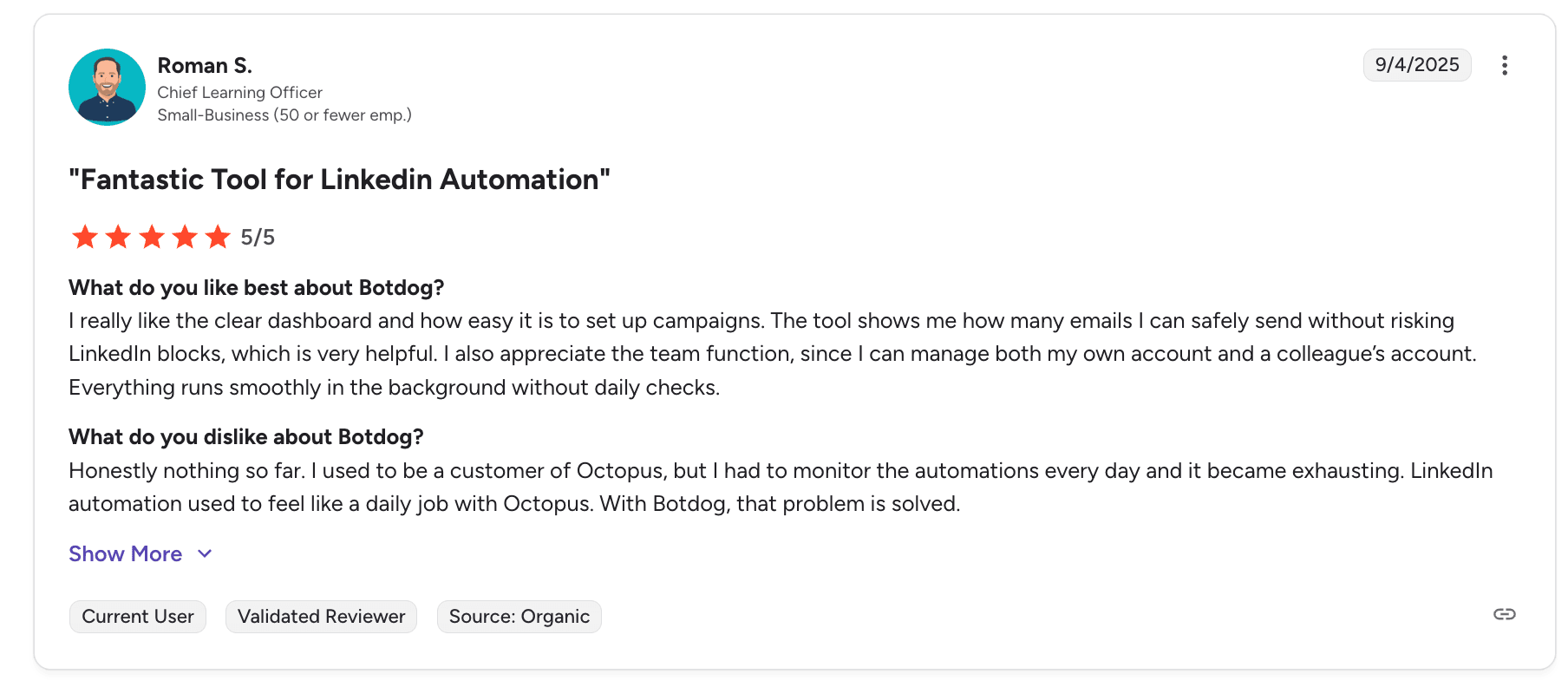
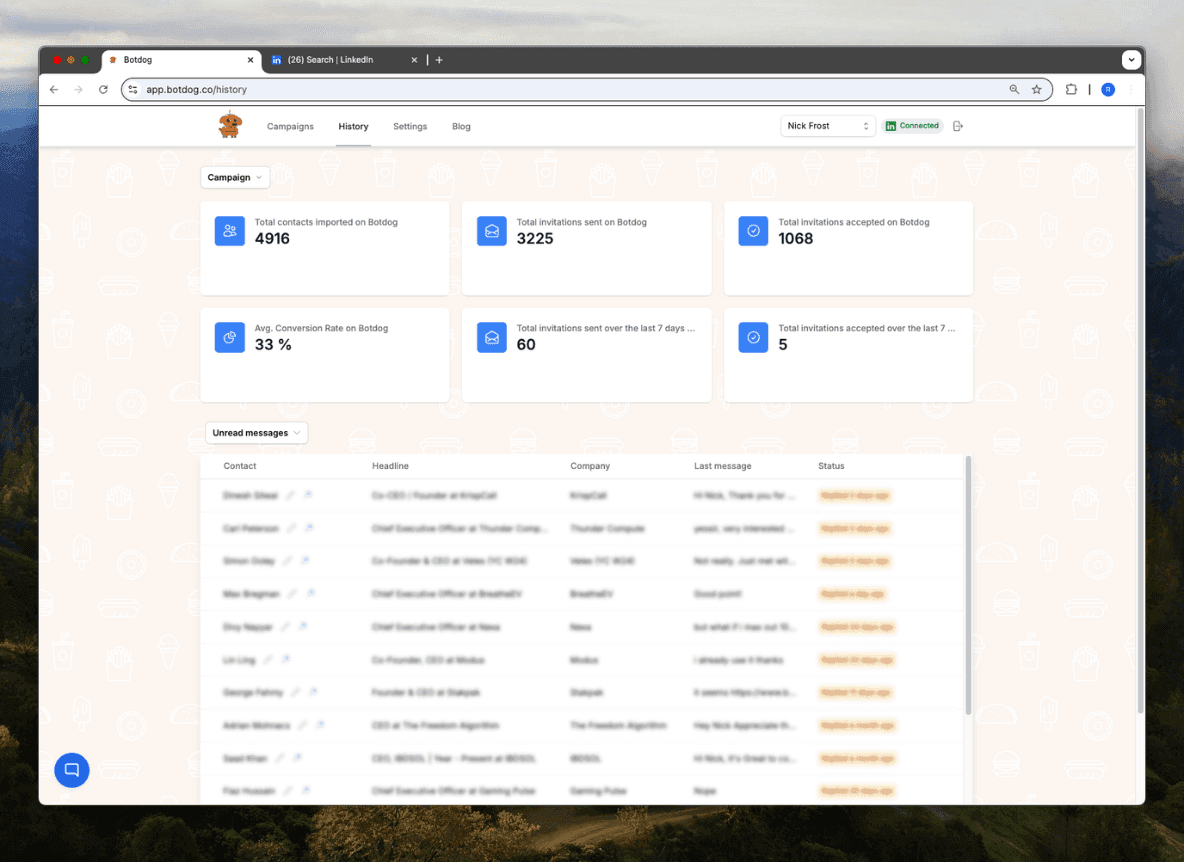
Botdog provides real-time campaign performance tracking focused on metrics that directly impact revenue. You can see acceptance rates showing what percentage of prospects accept your connection requests, which helps you evaluate targeting quality and message effectiveness. Response rates indicate how many accepted connections reply to your messages, revealing how compelling your value proposition is.
A/B testing capabilities include statistical significance testing, so you know when you've found a genuinely better approach versus random variation. The system prevents you from declaring winners prematurely before you have enough data to be confident in the results. Conversion tracking follows prospects from initial connection through closed deals when integrated with your CRM, giving you complete visibility into your LinkedIn pipeline. You can see exactly which campaigns are generating the most revenue, not just the most activity.
Integration with CRM systems enables automatic pipeline visibility without manual data entry or CSV exports. When prospects reach certain milestones in your LinkedIn campaigns, Botdog can automatically create or update records in your CRM. This ensures your sales team has current information without requiring campaign managers to manually transfer data between systems.
The reporting interface prioritizes clarity over complexity. You don't need to be a data analyst to understand what's working and what needs adjustment. The metrics presented are actionable - if a campaign has a low acceptance rate, you know to adjust your targeting or remove your connection request message. If acceptance is high but response rates are low, you know your follow-up messaging needs work.
Expandi Analytics
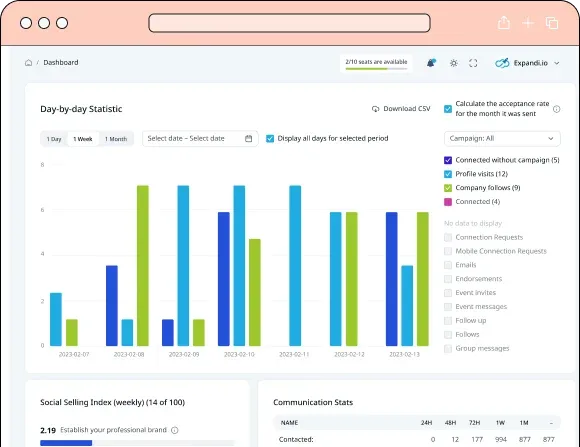
Expandi offers detailed campaign dashboards that track numerous metrics across both LinkedIn and email channels. When you have email sequences integrated into your campaigns, you can see open rates, click rates, and reply rates alongside your LinkedIn metrics. This multichannel visibility is valuable for teams running coordinated outreach across platforms.
The sentiment analysis feature (included in the Business plan) automatically categorizes responses based on interest level, saving hours of manual conversation review. You can quickly identify which campaigns are generating interested prospects versus polite "not interested" replies. This helps you focus follow-up efforts where they're most likely to convert.
Multi-channel attribution attempts to track prospect touchpoints across LinkedIn and email, helping you understand which channels contribute most to conversions. When someone engages with your LinkedIn message after ignoring two emails, you can see that complete journey. Custom report building allows you to create dashboards focused on the metrics your team cares about most. Export capabilities support detailed external analysis if you want to combine Expandi data with other sources in your own business intelligence tools.
The analytics depth is genuinely impressive, particularly for the multichannel attribution capabilities. However, the complexity can be overwhelming for smaller teams. There are many metrics to track, and not all of them are equally actionable. The sentiment analysis is powerful and included in the base plan, which is a strong value-add.
Winner: Botdog for actionable simplicity focused on revenue-driving metrics. Expandi for comprehensive data depth across multiple channels if you have the resources to analyze and act on complex reporting.
Inbox Management
Botdog Inbox
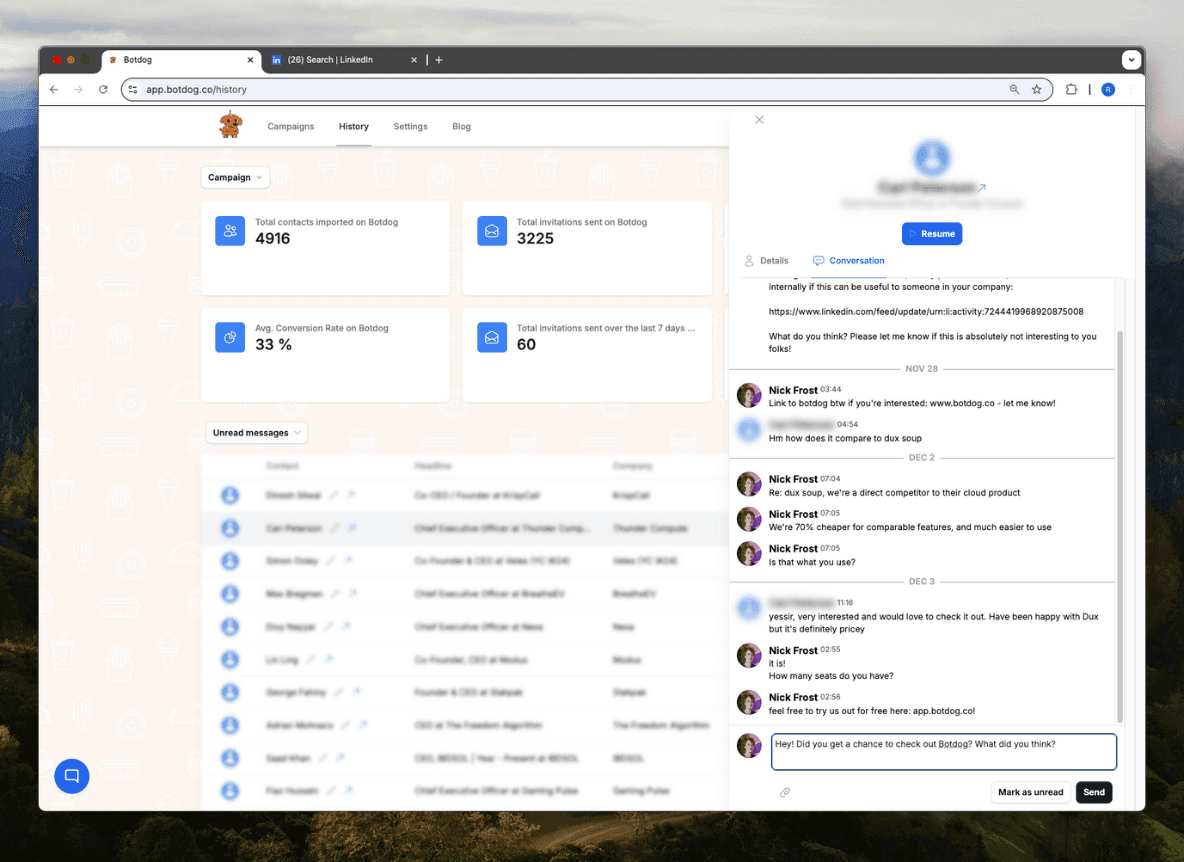
Botdog's unified inbox consolidates all LinkedIn conversations in one place, eliminating the need to constantly check LinkedIn directly for new messages. The interface shows message snippets that give you context before opening full conversations, helping you prioritize responses efficiently. You can see which messages are from prospects in active campaigns versus manual connections versus cold InMails.
Message snippets for quick responses let you save frequently used replies and insert them with a simple keyboard shortcut. When someone asks about pricing, availability, or other common questions, you can respond in seconds rather than retyping the same information repeatedly. Priority flagging for hot leads helps you ensure high-value prospects never wait long for responses, even when your inbox is full.
Integration with CRM systems automatically logs conversations without manual data entry. When you respond to a prospect in Botdog's inbox, that conversation can automatically sync to your CRM with full message history. This ensures your sales team has complete context without campaign managers needing to manually copy conversations into your CRM system.
The mobile-responsive design means you can manage conversations from your phone when you're away from your desk. The interface adapts to smaller screens without sacrificing functionality, letting you respond to hot leads even during commutes or between meetings.
Expandi Inbox
Expandi provides a unified inbox for both LinkedIn and email conversations, particularly valuable if you're running multichannel campaigns. You can see the complete conversation history across both channels in one thread, understanding how prospects have engaged with each touchpoint. Sentiment indicators from the AI Analyzer show whether each conversation is trending positive, neutral, or negative based on the prospect's language.
AI-generated response suggestions can draft replies based on the conversation context, saving time when responding to common questions or objections. While you should review and customize these suggestions, they provide a strong starting point that's faster than writing from scratch. Conversation tagging and organization help you categorize discussions by topic, stage, or whatever taxonomy makes sense for your workflow. Multi-account inbox switching lets you manage conversations across different LinkedIn profiles if you're handling multiple accounts.
The global inbox feature aggregates messages from different workspaces, useful if you're managing campaigns across multiple business units or client accounts. You can see everything in one view or filter by specific accounts when you need to focus.
However, Expandi's inbox has a significant limitation: you cannot respond on behalf of other team members. If you're managing multiple client accounts, each response must come from the actual LinkedIn profile owner. This slows down response times for agencies where account managers might handle replies for multiple clients.
Pricing Comparison: Botdog vs Expandi
Botdog Pricing
Botdog's pricing structure is straightforward with no hidden costs or unexpected add-ons:
Starter Plan: $69/month or $48/month billed annually per account. This includes unlimited campaigns, all core automation features, team collaboration with unlimited seats, auto-withdraw, and safety features built in, and CRM integrations. For 10+ accounts, pricing drops to $55/month or $39/month annually.
Professional Plan: $79/month or $39/month billed annually per account. This adds everything from Starter, plus webhooks and API access for custom integrations, advanced sequence capabilities for sophisticated workflows, and email enrichment to find prospect email addresses. For 10+ accounts, pricing is $63/month or $31/month annually.
Professional + AI: $99/month or $45/month billed annually per account. This includes everything in Professional plus AI filters for automatic prospect qualification, AI canned replies and snippets for faster responses, and advanced lead scoring based on engagement signals. For 10+ accounts, pricing is $79/month or $39/month annually.

Expandi Pricing
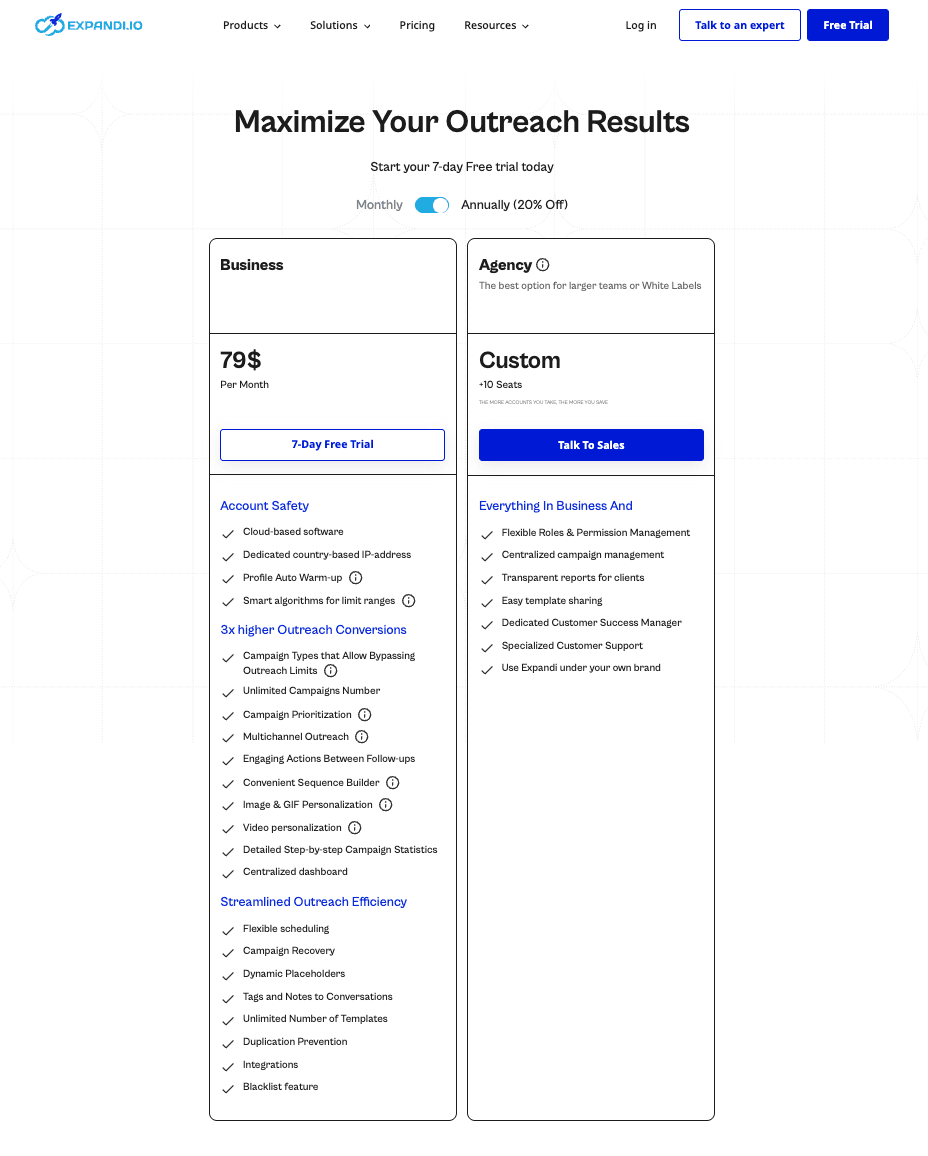
Business Plan: $99/month or $79/month billed annually per account. This includes LinkedIn and email automation in one platform, a comprehensive AI Analyzer with all features (campaign assistant, message generator, sentiment analysis, AI replies, insights dashboard), the campaign builder with multichannel sequences, basic analytics and reporting, and CRM integrations.
However, this does NOT include image/GIF/video personalization, which requires a separate Hyperise subscription starting at $69/month, or the team collaboration feature, which requires the Agency plan for 10+ accounts.
Agency Plan: Custom pricing for 10+ accounts minimum. This adds a multi-account dashboard, white-label options for agencies, centralized team management, advanced client reporting, and a dedicated customer success manager.
The pricing structure creates confusion because visual personalization features promoted prominently in Expandi's marketing actually require additional subscriptions. A user who wants image, GIF, and video personalization would pay $79/month (Business plan) + $49/month (Sendspark - video) + $69/month (Hyperise - image/GIF) = $197/month minimum per account.
Pros & Cons
Botdog: Pros & Cons
Expandi Pros & Cons
Final verdict: which tool should you choose?
Choose Botdog If:
You want LinkedIn-only automation without multichannel complexity. You're managing 1-10 LinkedIn accounts and need collaboration features at any scale. Account safety is your top priority, and you want hard-coded compliance protection. You value transparent pricing without hidden add-ons or surprise costs. Your team needs to get up and running in minutes rather than hours. You want focused AI features for qualification and efficiency at a lower total cost. Cost-effectiveness matters, especially as you scale up account numbers. You prefer sustainable growth over pushing LinkedIn's boundaries. You need a tool where compliance risks are eliminated by design.
Choose Expandi If:
You need LinkedIn and email automation in unified multichannel campaigns. You're running sophisticated sequences with complex branching logic across channels. You want comprehensive AI features for campaign creation through sentiment tracking included in base pricing. You're managing 10+ client accounts as an agency and need white-label options. You're comfortable with higher base costs for multichannel capabilities. You have technical resources to handle complex setup and configuration. You're willing to accept compliance uncertainty around features like Mobile Connector for potentially higher volume. Your team can dedicate time to learning complex workflow builders. You need advanced visual personalization and are willing to pay for a separate Hyperise subscription.
The bottom line
For most small teams, consultants, and growing agencies, Botdog provides the best combination of safety, simplicity, and cost-effectiveness. The transparent pricing, hard-coded safety features, and fast setup make it the smart choice for sustainable LinkedIn growth without complexity or compliance concerns.
Expandi serves a specific niche: teams running sophisticated multichannel campaigns who need comprehensive AI capabilities and can manage complexity. The AI Analyzer's inclusion in the base Business plan provides genuine value, making Expandi competitive for users who specifically need multichannel automation with advanced AI assistance. However, the higher base cost, compliance uncertainty around Mobile Connector, and hidden costs for visual personalization limit its appeal to a narrower audience.
The critical differentiator comes down to safety and transparency. Botdog's straightforward approach eliminates compliance uncertainty and gives you confidence that you're operating within LinkedIn's boundaries. Expandi's contradictory messaging around features like Mobile Connector creates unnecessary risk and confusion for users who simply want to know they're not violating LinkedIn's terms.
Ready to automate your LinkedIn outreach safely and simply? Botdog's 7-day free trial gets you up and running in 3 minutes with no credit card required.
Start your free trial today and see why over 1,000 teams across 73 countries trust Botdog for LinkedIn lead generation.