
If you’re a salesperson, recruiter, or founder who’s using LinkedIn for prospecting, you probably can’t afford to lose access to your account. The good news is that getting your LinkedIn account restricted (or banned) isn’t a random event.
LinkedIn uses a combination of automated systems and human review to identify accounts that are behaving in ways that violate its terms of service. Since the triggers aren’t secret, they’re actually quite predictable, which means they’re also avoidable!
Here are the five most common causes for restrictions, what LinkedIn is actually detecting, and what to do instead.
Mistake 1: Sending too many connection requests too quickly
LinkedIn sets weekly limits on connection requests - roughly 150-200 per week for Premium and Sales Navigator accounts, and around 50 per week for free accounts. You can’t accidentally go over this number - LinkedIn will block you at your limit (which will reset after 7 rolling days), but this isn’t a restriction.
The triggers behind real restrictions are velocity and pattern. Sending 40 requests in a single morning, or sending the same number every day at exactly 9am, looks automated to LinkedIn's detection systems. Human behavior is irregular, whereas machines are consistent, so it’s easy for LinkedIn to spot the difference.
LinkedIn also monitors your acceptance rate. If you're sending large volumes of requests and very few are being accepted, that's a signal that you're targeting poorly, which is a red flag for LinkedIn’s detection systems. Plus, if too many of your requests are being declined or marked as spam by recipients, your account could be restricted regardless of volume.
Instead, aim to:
- Spread requests throughout the day and across different days of the week.
- Keep your weekly volume within limits and vary it slightly.
- Send the majority of your requests to relevant prospects that match your ICP.
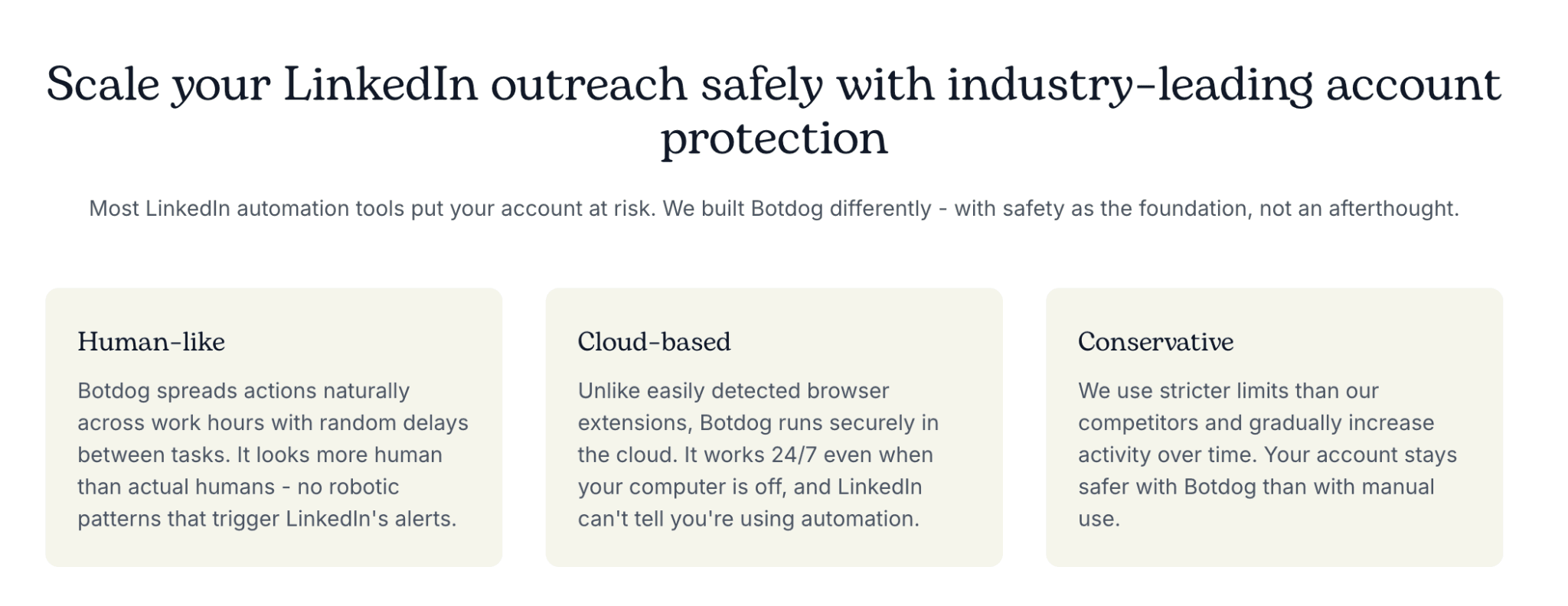
If you do want to automate your connection requests, you can do so by using a tool that imitates human activity. Botdog, for example, has safety features that ensure that every action is random and human-like. We won’t mass-send requests or messages, and we’ll spread everything out across the week in a very natural way. Just tell us who your ICP are and what you want to say to them, and we’ll do the rest!
Mistake 2: Sending the same message to everyone
Copy-paste messages or templates are great if people respond to them, but if your lack of personalization and variation causes people to ignore your messages, then LinkedIn will flag you as a possible spam account.
LinkedIn's systems are designed to detect message patterns that suggest automated or bulk sending. If 200 messages go out with identical phrasing within a short window and get a super low response rate, it looks like a spray-and-pray campaign, which will damage the health of your account. Also, if any of the recipients report your messages as spam, the problem will compound.
Here’s what to do instead:
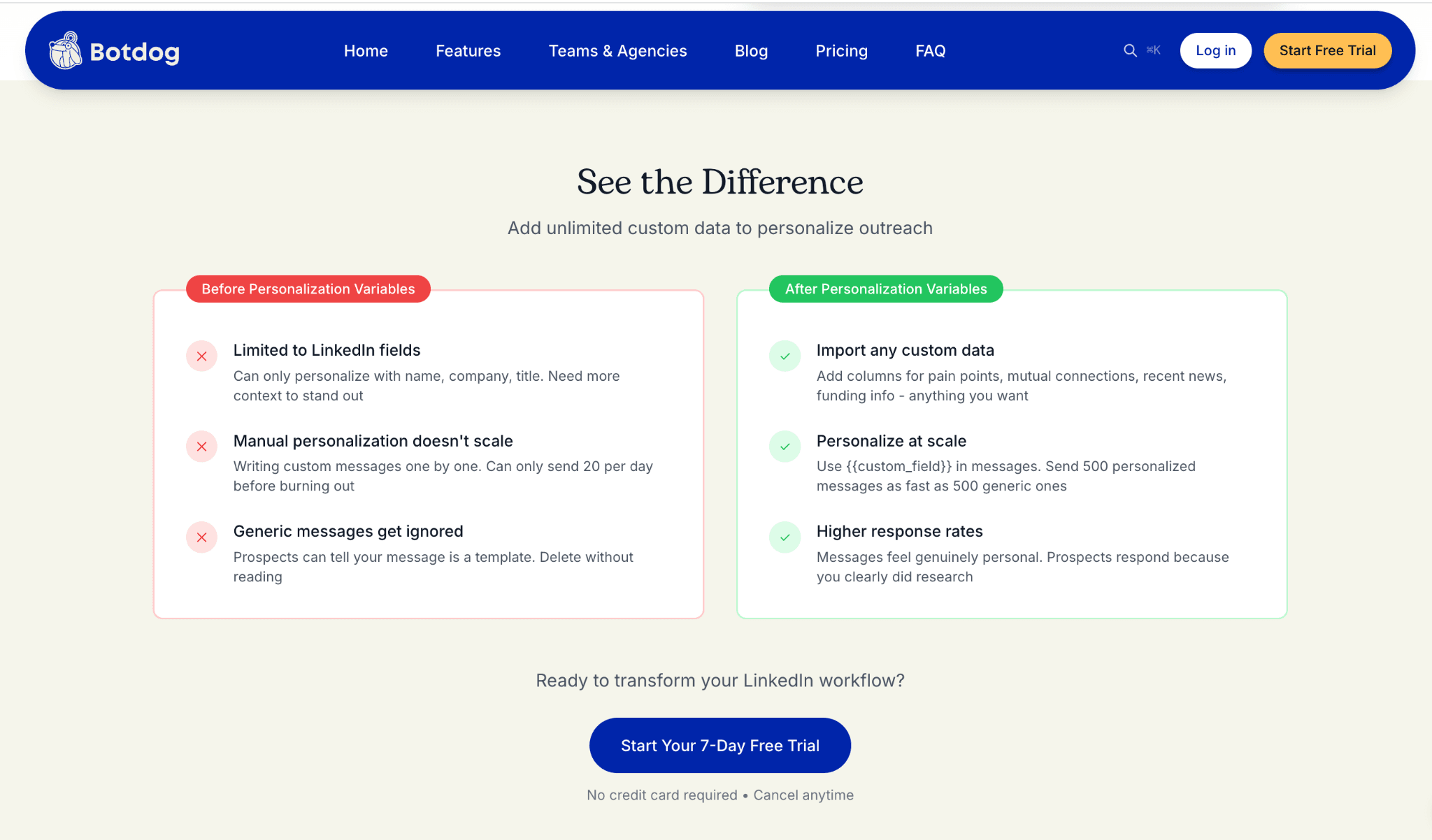
- Personalize (at least) the first line of every message and reference something unique about the person.
- Within one campaign, vary your templates. Use 3-5 different versions of each message and rotate between them.
- Focus on short, conversational messages rather than long pitches, because they feel more human and get better responses.
- If someone doesn't respond, don't send the same follow-up to everyone - adjust the message based on what you know about them.
If you do want to run outreach campaigns at scale, Botdog helps you personalize messages to make them feel individual, even at scale. This will help to keep your response rates high and also keep your account safe.
Mistake 3: Using automation tools that don't put safety first
It would be nice if every LinkedIn automation tool cared as much about its users’ safety as we do at Botdog, but unfortunately, that’s not the case. You don’t need to avoid automation altogether to keep your account safe, but you do need to be careful about which tool you choose.
Before you sign up, take some time to read more about the tool's safety features, make sure they’re included at every tier (e.g., Dripify only offers “advanced safety features” for higher-paying customers), and remember that if a tool advertises an ability to “bypass LinkedIn’s limits” (e.g., Expandi’s Mobile Connector campaign), that’s a huge red flag.
At Botdog, we have safety limits that protect every user, regardless of whether you’re on our free trial, Starter, Pro, or Pro & AI plan. As long as you use Botdog with a paid LinkedIn account (you should never automate from a free account anyway) and don’t try multiple tools at once, we’re pretty confident that we can keep your account safe.
Mistake 4: Ignoring your acceptance rates
LinkedIn pays attention to your connection request acceptance rate because it’s one of the clearest indicators of outreach quality.
A healthy acceptance rate typically falls between 30% and 45%. If you're sending a lot of requests and your acceptance rate is consistently below 20%, that tells LinkedIn that you're not targeting well, and/or people aren't interested in connecting with you.
Low acceptance rates tend to correlate with higher rates of requests being ignored or withdrawn by recipients, and some recipients actively mark requests as spam rather than just ignoring them. Even a small number of spam reports can trigger a review of your account.
Here’s what to do instead of sending random connection requests:
- Audit your targeting criteria. Are you sending requests to prospects who fit your ICP?
- Check whether your profile is optimized. Prospects who receive your request will probably check your profile before accepting, so make sure it’ll convert.
- Send connection requests without a note. Blank requests typically have higher acceptance rates than those with messages attached. You can send your first message once they accept.
- Monitor your acceptance rate weekly and adjust your targeting if it drops below 30%.
If you’re a Botdog user, you can track your acceptance rate across campaigns using our reporting dashboard, so you can quickly spot if something’s not working as well as you’d hoped.

Mistake 5: Letting pending requests pile up
This one often surprises people, but having hundreds of pending, unanswered connection requests is dangerous. LinkedIn sees a large backlog as a signal that your outreach is either irrelevant (people aren't accepting because they don't see a reason to) or spam-like (you've sent requests to so many people that the volume itself looks automated).
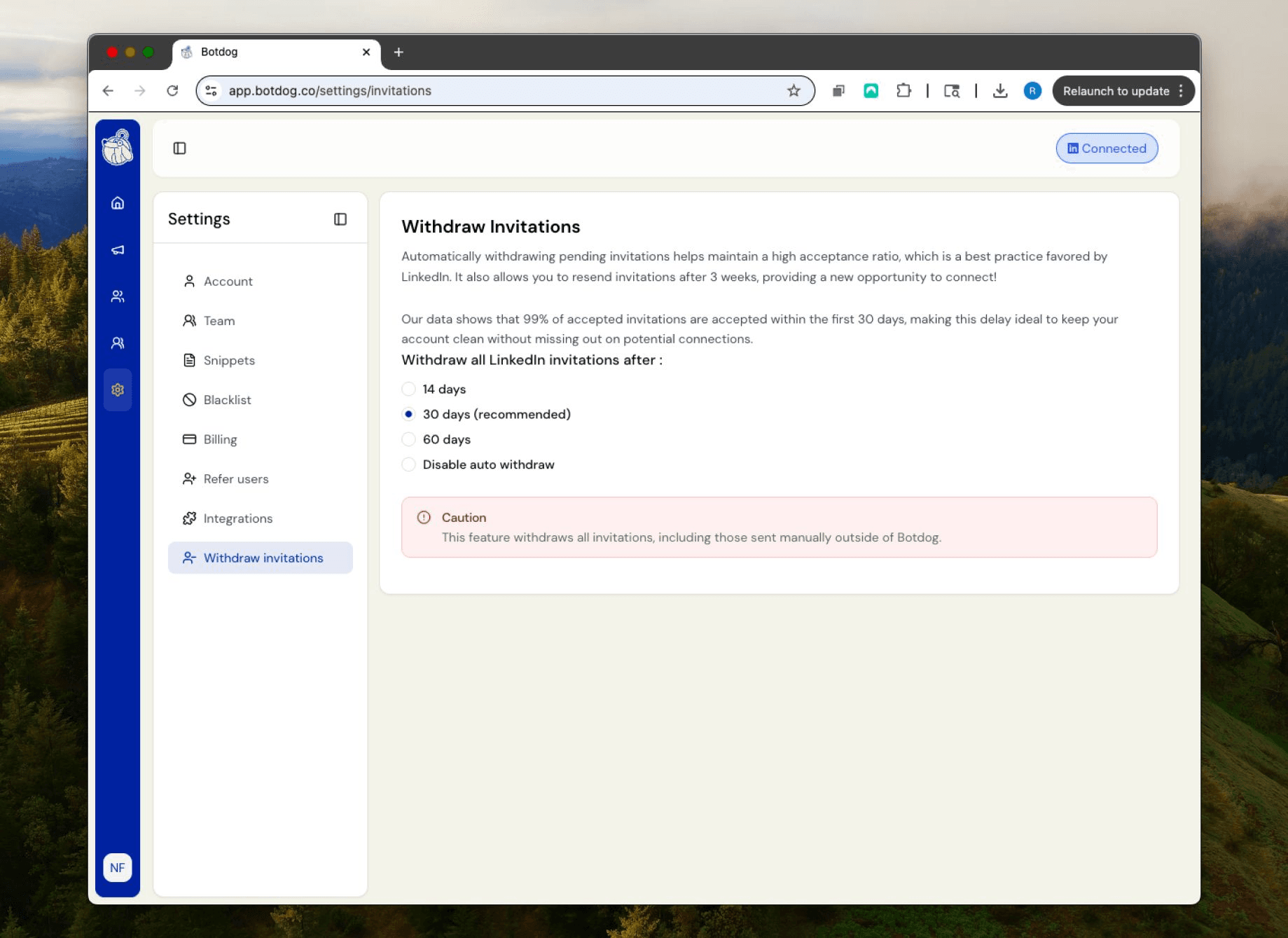
Most experts recommend keeping your pending requests under 500 at any time, but there’s also a very strategic reason to clear old requests. Our research found that most 99% of invitations that are going to be accepted get accepted within 30 days of being sent. After that, they're essentially stale, so why not get rid of them and try again later? Someone who ignored your request a few months ago might accept it now - maybe they were busy, they missed it, or the timing just wasn't right.
If you don’t have time to manually withdraw 500+ pending connection requests, Botdog’s auto-withdraw feature handles this for you. You choose the window - 14, 30, or 60 days - and Botdog withdraws unanswered requests on that schedule (even if you sent them manually), so your account stays clean without you having to think about it.
The common thread
All five of these mistakes come down to looking like a machine rather than a person. LinkedIn's systems are very sophisticated at identifying behavior that doesn't match how humans actually use their platform. Volume spikes, identical messages, and ignored requests piling up are all patterns that humans don't produce, so LinkedIn flags them accordingly.
The good news is that doing outreach safely and doing outreach effectively are not in tension. Targeted, personalized, human-paced outreach gets better response rates and keeps your account in good standing.
We built Botdog specifically to make LinkedIn automation safe. With human-like sending patterns, cloud-based infrastructure, automatic request withdrawal, and account health monitoring, our safety features are something we’re incredibly proud of.
If you're concerned about the safety of your current setup, or you're curious to try automation for the first time, you can try Botdog free for 7 days with no credit card required!

