More dashboard cards now follow the date range you pick
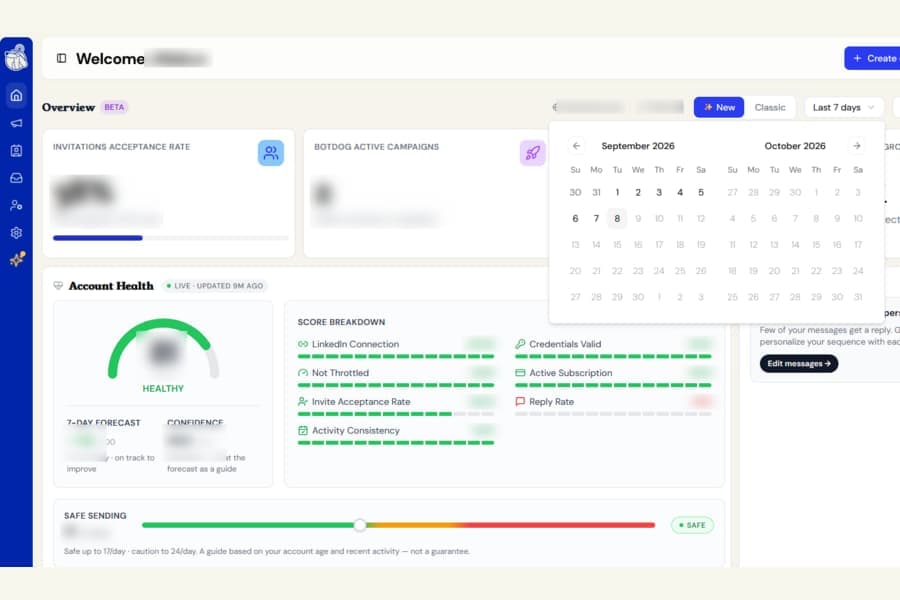
The date range at the top of your dashboard now controls more of the cards you see.
Previously, changing between Last 7 days, Last 30 days, Last 90 days, or a custom range only updated some parts of the dashboard. Other cards continued using their own fixed time periods, which meant the numbers on screen could describe different date ranges at the same time.
What changed
Five more dashboard cards now follow the date range you select:
- Top campaigns ranks campaigns based on invitations sent during the selected range, instead of always looking back over the past year
- Lead quality (ICP) shows the people who accepted your connection requests during the selected range, instead of everyone you have ever connected with
- Best time your audience is active builds its heatmap from invitations sent during the selected range, instead of always using the last 90 days
- Goal tracker shows one bar for each week included in your selected range, instead of always showing the last 8 weeks
- Recent activity shows the latest activity that happened within the selected range
Choose your date range once, and the dashboard now gives you a much more consistent view of that same period.
Shorter ranges may show less data
If you choose Last 7 days, you may see fewer campaigns in the rankings or find that Best time your audience is active does not yet have enough data to give you a useful result.
That is expected. A shorter period simply gives Botdog less activity to analyse.
Switch to Last 30 days or Last 90 days when you want a broader picture.
Some cards still show your current status
Account Health, Next best actions, Unread messages, and Warm leads are unchanged.
These cards show what is happening with your account right now, rather than reporting on a past date range.

